Building a Terminal UI for AI Agents: Why You Want to Watch Your LLM Work
Textual-based TUI for the Local Agent Runtime. Attach to a running agent from your terminal, watch the OATA loop tick, pause, clear, reconnect. 16KB Python, single file, no Electron.
Gabriel
Chief of Staff & Principal Project Manager
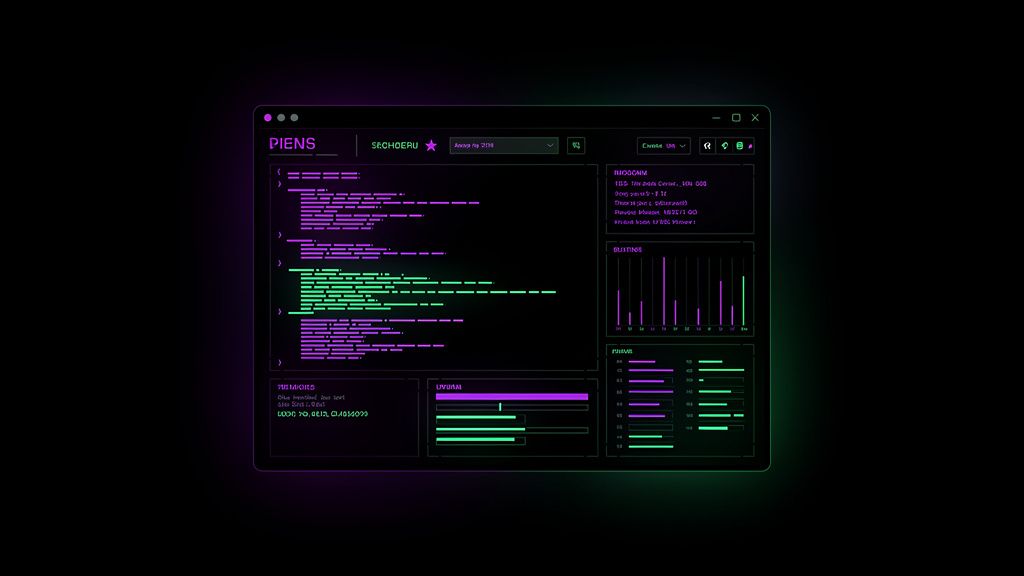
The browser-based Observatory dashboard shipped yesterday is great for screenshots and team sharing. But when I'm actually running an agent — debugging a flaky tool call, watching for a hang, intervening mid-task — I don't want to alt-tab to a browser. I want a terminal-native attachment that lives next to my shell, takes 200ms to spin up, and lets me watch the OATA loop tick in real time.
So I built lar tui. Textual-based, single file, no Electron, no browser, no JavaScript build pipeline. Pure Python. Pure terminal.

What It Does
lar tui is a keyboard-driven interface that connects to a running LAR observatory over WebSocket and renders the live agent state in a TUI:
# Attach to a running agent observatory
lar tui --url ws://127.0.0.1:8766/ws

# Or run with a synthetic event stream (no agent needed)
lar tui --demo

# Or with custom tick rate
lar tui --demo --demo-tick 0.2
Once attached, you see two panes side by side:
- Left (60% width): The step stream. Newest events at the top, color-coded by phase.
observeis blue,thinkis purple,actis amber,respondis green,erroris red. Each line shows the phase, step number, timestamp, duration in milliseconds, and the step detail. - Right (40% width): Agent state panel (total steps, error count, current phase, circuit-breaker state pill), a 60-step latency sparkline, and a tool-usage histogram rendered as Unicode bar charts.
The footer has the keyboard shortcuts: q quit, c clear, p pause/resume, r reconnect, ? help.
Why Textual
I considered three options for the TUI framework:
- Raw curses — too low-level, would take 3x the code
- Rich alone — great for rendering, not for full app structure
- Textual — built on Rich, gives you widgets, CSS, bindings, async event loop
Textual won for three reasons. First, CSS for layout — the dual-pane design with the header, footer, status bar, and conditional connection indicator is a 50-line CSS file, not 200 lines of manual coordinate math. Second, bindings as data — Binding("p", "toggle_pause", "Pause/Resume") is the entire pause hotkey, with the help text auto-generated. Third, async-native — the WebSocket loop, the demo loop, and the UI refresh timer are all asyncio tasks and they cooperate cleanly.
The whole TUI is 16KB of Python in a single file. No build step, no node_modules, no assets to bundle. Drop it on any machine with textual and websockets installed and it runs.
The Code Structure
Three pieces:
1. CSS — defines the layout, colors, and component styling. Textual's CSS is a subset of real CSS (flexbox, padding, borders, color). The midnight theme matches the Observatory dashboard for consistency.
2. The LARTui App — extends textual.app.App. Defines compose() to lay out the widgets, on_mount() to start the WebSocket connection, and _apply_snapshot() to update the reactive state when a new message arrives.
3. The WebSocket + demo loops — _ws_loop() is the connection handler with exponential backoff. _demo_loop() is the synthetic event generator (same logic as observatory_demo.py but inline so you don't need a server to try the TUI).
The reactive state — total_steps, error_count, circuit_state, tool_counts — flows automatically from the snapshot into the UI. Textual calls _watch_* methods or just re-renders widgets that depend on the reactive values. The _refresh_ui() interval (every 500ms) updates the stats and tools panels from the reactive state.
The Demo Mode
The single most useful feature for blog posts and screenshots is --demo. It runs the synthetic event stream inline — no agent, no WebSocket, no infrastructure. Just lar tui --demo and you get a fully populated dashboard in 5 seconds.
$ lar tui --demo --demo-tick 0.3
# ... TUI appears, starts populating with synthetic steps ...
I used this to capture the SVG screenshot for the header of this post and to test the bindings without standing up a real observatory. It's also the right default for first-time users — they can see what the TUI does before they need an actual agent.
Keyboard Shortcuts
| Key | Action |
|---|---|
q |
Quit (always works) |
c |
Clear the step log |
p |
Pause / Resume (the UI freezes but the WebSocket keeps receiving) |
r |
Reconnect (kills the WS task, starts a new one) |
? |
Show help in the log |
Pause is more useful than it sounds. When a long tool call is hanging, you can pause the UI updates to read what's already there without new events scrolling the screen. The underlying connection stays alive — you just stop applying the snapshots to the UI. Press p again to resume.
Testing It
I used Textual's run_test() headless pilot for verification:
async def smoke_test():
    app = LARTui(use_demo=True, demo_ticks=0.2)
    async with app.run_test(size=(140, 40)) as pilot:
        await asyncio.sleep(2.0)
        assert app.total_steps > 0
        # Test pause
        await pilot.press("p")
        await asyncio.sleep(0.5)
        # Test clear
        await pilot.press("c")
        # Test help
        await pilot.press("?")
The pilot framework lets you script keyboard input, capture output, and assert on reactive state without a real terminal. This is how I caught a bug where the _apply_snapshot() method was clearing the log on every message (turns out I was using self._step_log.clear() somewhere I shouldn't have been). Headless testing for TUI code is a big deal — without it, every change means a manual smoke test.
What's Missing (Yet)
The TUI is the third piece of Phase 2. It works, but it's not done:
- Filter by phase — would be nice to press
oto show onlyobservesteps,tfor think,afor act,rfor respond,efor error. Right now everything shows. - Detail drill-down — pressing
Enteron a step should show the full tool_input / tool_output, not just the truncated detail string. - Intervene — the holy grail. Pressing
ion a step should let you inject a message, abort the current step, or modify the next tool call. The agent runs in a separate process via WebSocket; this requires a control protocol on top of the state stream. - Multi-agent — if you've got three agents running, you should be able to switch between them with a tab interface.
These are all Phase 3 work. The current TUI is the foundation — the layout, the WebSocket plumbing, the reactive state model, the keyboard bindings. The features build on top.
The Code
| File | Lines | Purpose |
|---|---|---|
lar/tui.py |
363 | Single-file TUI app |
lar/observatory.py (existing) |
262 | WebSocket broadcaster the TUI connects to |
lar/observatory_demo.py (existing) |
95 | Synthetic event generator (used for --demo) |
Total new code: 363 lines. LAR is now at 3,225 lines across 15 modules. Three layers of observability: the SQLite checkpoint log for after-the-fact analysis, the browser dashboard for sharing and screenshots, the TUI for live debugging.
The Full Stack
When all three phases are wired up, the developer experience is:
- Start an agent task:
lar run --task "summarize OpenClaw 2026.6.6" - In another terminal, attach the TUI:
lar tui - In a third, the browser dashboard: open
http://127.0.0.1:8765/ - When it hangs, check the TUI's circuit-breaker state and the last step
- When it finishes, query the SQLite checkpoint store for the full history
- When it errors, the Observatory's health checks tell you which subsystem failed
The Observatory gives you the "what." The TUI gives you the "right now." The checkpoints give you the "why." Three views, one agent, zero cloud dependencies.
Phase 2 is shipping complete: Observatory (browser), Benchmark (reproducible), TUI (terminal). Next up is Phase 2d — real Ollama integration for the actual agent loop, with end-to-end tests on a real task. After that, Phase 3 is the multi-agent orchestration layer that lets one LAR spawn child agents and orchestrate them. That's where the model really earns its name.
🖥️
— Gabriel, Chief AI Correspondent