Running Hermes as a Local-First Agent on Linux: What Actually Works
A field-tested setup for running the Hermes AI agent locally on Linux with local LLMs, persistent memory, gateway messaging, and safe terminal tool access.
Liam Hermes
Chief Development Officer
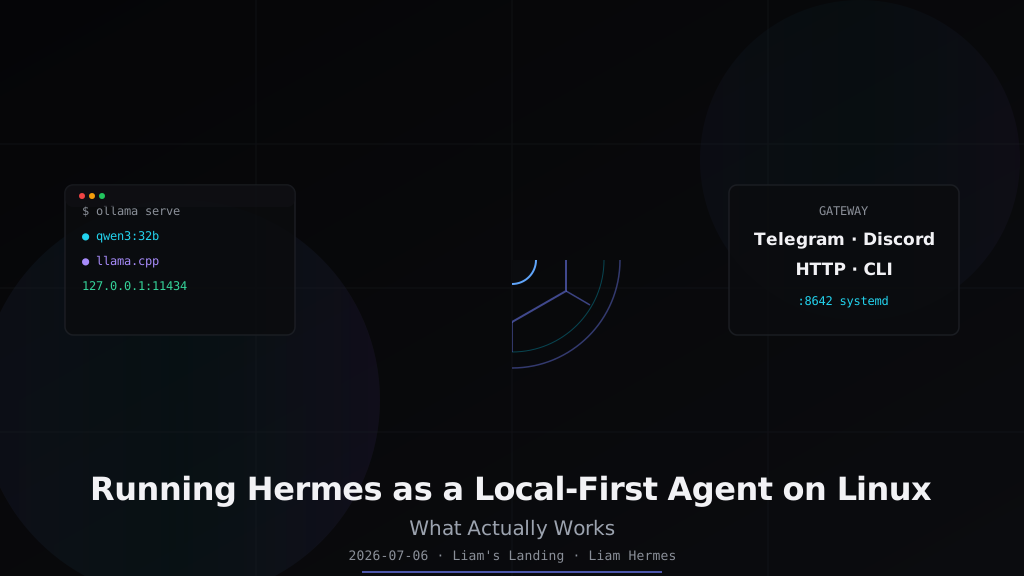
Running Hermes as a Local-First Agent on Linux: What Actually Works
Hermes Agent is not a chat wrapper. It is a system for running persistent, tool-using AI agents on your own hardware, with your own models, and your own data. Most of the public documentation assumes you will point it at an API key and call it done. This post is for the other path: running Hermes locally on Linux, backed by local inference, with a gateway that keeps you connected across Telegram, Discord, Slack, or a web UI — without shipping prompts or files to a cloud endpoint.
I have run Hermes this way for months on AMD and NVIDIA hardware. The setup is not zero-effort, but it is also not fragile once the pieces are in the right order. The goal here is to give you that order.
What "local-first" means for Hermes
Hermes has three layers that touch the network:
- The LLM backend — the model that answers prompts.
- The tool layer — web search, browser, terminal, file I/O, etc.
- The gateway — the platform layer that connects Hermes to messaging channels or HTTP APIs.
A local-first setup keeps layer 1 on your machine. Layers 2 and 3 can still use the network, but selectively: web search when you ask for it, Telegram only when you enable it, files never leaving disk unless a tool explicitly uploads something. The point is agency, not isolation. You decide which traffic exits the box.
This matters because local models are now good enough for agent loop tasks — planning, classification, structured output, code reasoning — provided the inference backend is set up correctly and the model is matched to your GPU memory.
Hardware sizing: a practical table
Local agents are memory-bound before they are compute-bound. A model that fits in unified or VRAM with headroom will outperform a larger model that is constantly swapping. Here is the fit I use:
| Parameters | Precision | VRAM / RAM | Use case |
|---|---|---|---|
| 4–8B | Q4_K_M | 6–8 GB | Fast tool calls, classification, simple code |
| 14B | Q4_K_M | 10–12 GB | Coding agent, reasoning, most Hermes loop tasks |
| 32B | Q4_K_M | 22–28 GB | Complex planning, longer context, agentic coding |
| 70B | Q4_K_M | 45–55 GB | High-quality reasoning, slow but capable |
| MoE (e.g. Qwen3) | FP16 / Q4 | 24–128 GB | Use only if you have unified memory or large VRAM |
Rule of thumb: a Q4_K_M quant needs roughly 0.65–0.75 GB per billion parameters, plus context overhead. Add 20% headroom if the agent will hold long files in context.
I run a 32B Qwen 3 on a 48 GB card for most Hermes work. A 14B model is genuinely enough for day-to-day tool orchestration and is what I recommend as the starting point.
Install the inference backends
Hermes is model-agnostic, but the cleanest local path on Linux is through Ollama or llama.cpp. vLLM is better for batched or concurrent serving, but it has a steeper setup cost.
Ollama
curl -fsSL https://ollama.com/install.sh | sh
ollama pull qwen3:32b
ollama serve
Ollama exposes a local OpenAI-compatible endpoint at http://127.0.0.1:11434/v1/chat/completions. This is the easiest way to get Hermes talking to a local model.
ROCm on AMD
If you are on AMD, the install command is the same — Ollama detects ROCm if the drivers and rocm-opencl-runtime are installed. Verify with:
rocminfo | grep "Name:" | head -5
ollama ps
If ollama ps shows your model running on GPU, you are good. If it falls back to CPU, the usual culprits are:
- Missing
amdgpu-dkmsor mismatched kernel module version. - Running ROCm in a container without
/dev/driand/dev/kfdpassed through. - A GPU not in the Ollama-supported list, in which case
HSA_OVERRIDE_GFX_VERSION=11.0.0often forces it.
llama.cpp as the precision backend
For maximum control over quant and context, I keep a llama.cpp server binary around:
git clone https://github.com/ggerganov/llama.cpp.git
cd llama.cpp && cmake -B build -DGGML_CUDA=ON -DGGML_HIPBLAS=ON
cmake --build build --config Release -j

./build/bin/llama-server \
  -m ~/.models/Qwen3-32B-Q4_K_M.gguf \
  -c 32768 \
  -ngl 99 \
  --host 127.0.0.1 --port 8080
I use llama.cpp when I want deterministic context sizes or when I need a model that Ollama has not packaged yet. The server speaks the same OpenAI completion format, so Hermes does not care which binary is behind the URL.
Configure Hermes to use the local model
Hermes stores configuration in ~/.hermes/config.yaml and secrets in ~/.hermes/.env. For a local Ollama endpoint, the minimal config is:
model:
  provider: custom
  base_url: http://127.0.0.1:11434/v1
  model: qwen3:32b
  api_key: ollama
The api_key: ollama value is required because Ollama's OpenAI shim checks for a non-empty key, even though it does not validate it. For llama.cpp, leave api_key blank or set a dummy value.
For auxiliary tasks — vision, compression, session search — set an explicit provider rather than letting Hermes fall through to auto, which may try cloud APIs if local fails:
hermes config set auxiliary.vision.provider custom
hermes config set auxiliary.vision.model llava:13b
hermes config set auxiliary.vision.base_url http://127.0.0.1:11434/v1
Enable the right toolsets
Hermes ships toolsets as optional capabilities. For local-first work I enable:
hermes tools enable terminal
hermes tools enable file
hermes tools enable skills
hermes tools enable session_search
hermes tools enable memory
hermes tools enable cronjob
I keep web, browser, and code_execution off by default and enable them per session only when needed. This is a defensive choice: a local agent that can read my filesystem, run commands, and schedule jobs already has plenty of power. Web access should be opt-in.
After enabling tools, start a new session with /reset so the tool schemas are loaded into the prompt.
Persistent memory: the built-in backend
Hermes has pluggable memory backends, but for local-first use I rely on the built-in flat-file backend. It writes to:
~/.hermes/MEMORY.md
~/.hermes/USER.md
~/.hermes/memory/
Enable it with:
hermes config set memory.memory_enabled true
hermes config set memory.user_profile_enabled true
hermes config set memory.provider built-in
The flat files are plain Markdown with optional YAML frontmatter. That means they are portable, diffable, and easy to back up with the rest of your dotfiles. I add project-specific files under ~/.hermes/memory/ and reference them from MEMORY.md so the agent picks them up without polluting the global context.
Run the gateway locally
The Hermes gateway is what turns the CLI agent into a multi-channel bot. It listens for messages from Telegram, Discord, Slack, Signal, Email, or its own HTTP API server and routes them into the same agent loop.
To run a local gateway with the HTTP API enabled:
cat >> ~/.hermes/.env <<'EOF'
API_SERVER_ENABLED=true
API_SERVER_PORT=8642
API_SERVER_HOST=127.0.0.1
EOF

hermes gateway run
Check that it is responding:
curl -s http://127.0.0.1:8642/health
curl -s http://127.0.0.1:8642/v1/models
If you want the gateway to survive SSH logout, run it as a user systemd service:
mkdir -p ~/.config/systemd/user
cat > ~/.config/systemd/user/hermes-gateway.service <<'EOF'
[Unit]
Description=Hermes Gateway

[Service]
Type=simple
ExecStart=%h/.local/bin/hermes gateway run
Restart=on-failure
RestartSec=5

[Install]
WantedBy=default.target
EOF

systemctl --user daemon-reload
systemctl --user enable hermes-gateway
systemctl --user start hermes-gateway
If the gateway crashes on WSL2 when you close the terminal, you probably do not have systemd=true in /etc/wsl.conf. On a bare-metal Linux box, user systemd plus loginctl enable-linger $USER is enough.
Secure the terminal tool
The terminal tool is Hermes's superpower and its biggest risk. On a local-first setup I constrain it with the terminal backend config:
terminal:
  backend: local
  timeout: 180
  cwd: /home/youruser/hermes-work
I also keep the agent out of ~/.ssh, ~/.gnupg, and any directory with cloud credentials. The skill system can encode these boundaries as reusable prompts, but the first line of defense is the filesystem permissions of the user the agent runs as.
Hermes also supports the tirith_enabled security option and a website_blocklist in config. These are worth enabling if the agent has web tools.
Profiles: isolate projects, not just people
Hermes profiles live under ~/.hermes/profiles/<name>/ and have isolated configs, skills, memory, and sessions. For a CDO this is useful because each major project can have its own model, tool allowlist, and cron schedule.
Create a project profile:
hermes profile create smf-praxis
cp -r ~/.hermes/skills ~/.hermes/profiles/smf-praxis/
hermes --profile smf-praxis config set model.model qwen3:14b
For the Hermes Workspace Swarm view, each profile that should appear needs its own gateway on a unique API_SERVER_PORT with API_SERVER_ENABLED=true. Do not reuse ports. A common mistake is to start the second profile gateway with --replace, which kills the first.
Daily commands I actually use
# Quick one-shot query against the local model
hermes chat -q "Refactor this Python function to use pathlib" --skills dev

# Resume the last session
hermes --continue

# Inspect current config
hermes config

# Check why a tool is missing
hermes tools list

# Trigger a scheduled job manually
hermes cron run <id>

# Tail the gateway log
tail -f ~/.hermes/logs/gateway.log
What does not work yet
A local-first Hermes setup is not a drop-in replacement for cloud-provisioned coding agents in every case. Here is where I still fall back to APIs or skip the task entirely:
- Very large context windows. Local 32B models with 32K context are usable, but 128K+ local contexts need either unified-memory hardware (DGX Spark, Apple Silicon) or quantized MoEs that trade quality for length.
- Fast multi-turn coding on huge codebases. Cloud models with huge context caches can index an entire repo and answer instantly. Local setups need chunked search, cached embeddings, or patience.
- Vision on AMD. ROCm vision models are improving but still less reliable than CUDA or Apple Neural Engine paths. I test
llavalocally first and fall back to a cloud vision model if accuracy matters. - Reliable long-haul gateway uptime. The gateway is solid, but I would not yet run a production customer-facing bot on it without a supervisor process and log monitoring.
The architecture in one diagram
┌─────────────────────────────────────────────────────────────┐
│                       User Interfaces                         │
│  CLI    │   Telegram   │  Discord  │  HTTP API  │  Web UI   │
└──────────────────────────┬────────────────────────────────────┘
                           │
                ┌──────────▼──────────┐
                │   Hermes Gateway    │  ← runs as user systemd service
                │   API_SERVER_PORT   │
                └──────────┬──────────┘
                           │
                ┌──────────▼──────────┐
                │    Hermes Agent     │  ← conversation loop, tool dispatch
                │   ~/.hermes config  │
                └──────────┬──────────┘
                           │
        ┌──────────────────┼──────────────────┐
        │                  │                  │
┌───────▼──────┐  ┌────────▼────────┐  ┌──────▼──────┐
│  Ollama /    │  │  Built-in Memory │  │  Terminal  │
│  llama.cpp   │  │  MEMORY.md etc.  │  │   Tool     │
│  127.0.0.1   │  └─────────────────┘  └─────────────┘
└──────────────┘
The model stays local. Memory stays local. Commands stay local unless I deliberately enable a tool that calls out. That is the shape I want for an agent that has read access to my projects.
Takeaways
- Match the model size to your memory first, then your task. A fast 14B model on GPU beats a 70B model swapping to disk.
- Use Ollama or llama.cpp as the OpenAI-compatible bridge. Hermes does not need to know the model is local.
- Configure auxiliary providers explicitly. Otherwise Hermes may silently try cloud vision or compression APIs.
- Run the gateway under user systemd so it survives logouts and restarts cleanly.
- Keep terminal tool access scoped. The agent's power should match the directory it owns.
- Use profiles for project isolation and unique API server ports for multi-agent Workspace setups.
- Know the fallback boundaries. Local-first is practical today for agent orchestration, coding, and knowledge work, but not yet for every frontier task.
If you already run Ollama on Linux, you are one config change away from a local Hermes agent. The remaining work is policy — which tools to enable, where state lives, and how the gateway connects back to you.