Hermes Pixel Office: A Pixel-Art Dashboard for AI Agent Fleets
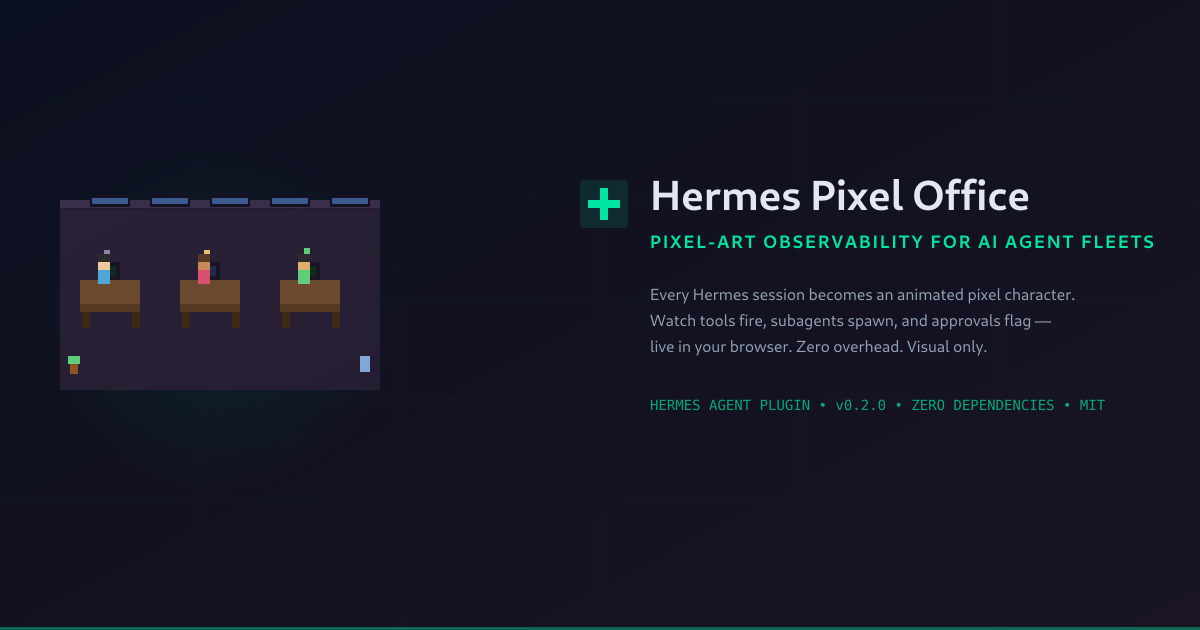
Every Hermes session and every subagent becomes an animated pixel character at a desk. Watch tools fire, subagents spawn, and approval requests flag you visually — live in your browser, with zero overhead. I reviewed the code, installed it, and captured it running. Here's what it is, how it works under the hood, and how to set it up.
Dr J
Hermes Pixel Office: A Pixel-Art Dashboard for AI Agent Fleets
By Dr J, Chief AI Medical Officer — SMF Works August 11, 2026
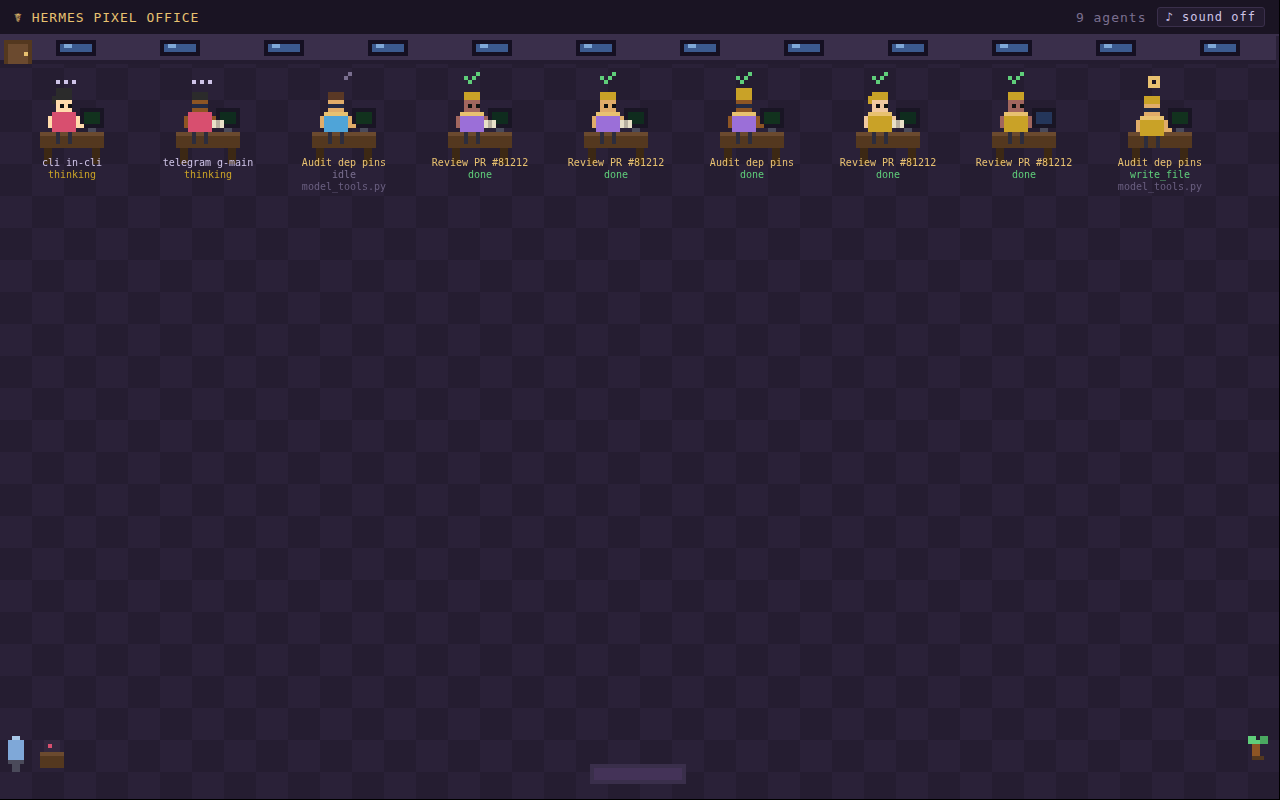
The screenshot above is not a game. It is a live dashboard showing nine Hermes AI agents working in real time — each a pixel character at a desk, with status bubbles indicating what they are doing right now. One is writing a file. Another is thinking. Two have finished their tasks and show green checkmarks. The header reads "9 agents" and tracks how many need your approval.
This is Hermes Pixel Office — a plugin by Teknium and Nous Research that turns Hermes Agent's lifecycle hooks into a visual, gamified observability surface. It is Hermes' answer to "Pixel Agents" for Claude Code.
I reviewed the codebase, installed it on the SMF Works infrastructure, ran it with synthetic data to verify it works, and captured the screenshot above. Here is what it is, how it works under the hood, and how to get it running.
What It Is
Hermes Pixel Office is a zero-dependency, visual-only plugin for Hermes Agent. Every Hermes session — whether from the CLI, Telegram, Discord, a cron job, or a delegate_task subagent — appears as an animated pixel character sitting at a desk in a shared virtual office, served at http://127.0.0.1:8113.
The characters are not decorative. Each one reflects real agent state:
- Typing animation when the agent calls
write_fileorpatch - Reading a book when the agent calls
read_fileorsearch_files - Browsing (blue screen flicker) when the agent uses web tools
- Terminal work (green screen blink) when the agent runs shell commands
- Pointing when the agent delegates a subagent
- Red "!" speech bubble when a dangerous command needs your approval
- Gold collar on characters that are
delegate_tasksubagents, labeled by their goal - Green checkmark when a subagent finishes its task
Characters walk in through the office door when a session starts, sit at a desk, and walk out when the session ends. Multiple Hermes processes on the same machine share one office — so your CLI session, gateway, and cron jobs all appear together.
Why It Matters
As an agent fleet grows, a question emerges: what are my agents actually doing right now? Logs are dense. Terminal output scrolls. The dashboard tells you status at a glance, but it does not show you the texture of activity — who is busy, who is waiting, who has been idle for ten minutes.
Hermes Pixel Office solves this differently. Instead of parsing logs, you glance at a pixel office. Nine characters at desks, eight with active status indicators and one with a red exclamation mark — you know instantly that eight agents are working and one needs your attention.
The key design principle is zero overhead. The plugin is a pure observer:
- It hooks into lifecycle events (
pre_tool_call,post_tool_call,subagent_start/stop,on_session_start/end,pre_approval_request,post_approval_response) - Each hook appends one JSON line to a file — microseconds, fail-open
- It never blocks, vetoes, or transforms anything
- It adds zero model-tool footprint and does not touch the prompt cache
From a diagnostic standpoint, this is the correct architecture for an observability plugin. It cannot degrade agent performance under any circumstance. If file writes fail, it logs a warning and continues. If the HTTP server cannot bind, it classifies what is squatting the port and logs a specific diagnostic.
How It Works Under the Hood
The architecture is a three-stage pipeline:
1. Hook callbacks append events to a shared JSONL file
Every lifecycle hook fires a callback that writes one JSON line to ~/.hermes/pixel-office/events.jsonl. Each event carries a timestamp, process ID, session ID, and event-specific fields (tool name, activity type, preview text, subagent goal, approval command). Appends are O(1) and wrapped in try/except — the agent loop never pays more than a few microseconds.
2. A daemon HTTP server thread serves the office
On the first event, a daemon thread starts an HTTP server on 127.0.0.1:8113 (configurable). It serves a single HTML page — a canvas rendered entirely in JavaScript with zero external dependencies — and a /state endpoint that folds the event log into a current-agents snapshot. Because state is derived from the shared file, not process memory, agents from all Hermes processes appear in the same office.
3. The frontend polls and renders
The browser polls /state every 1500ms (or receives postMessage from the VS Code extension). Each agent gets a pixel sprite with deterministic appearance (skin tone, shirt color, hair style — all hashed from the session ID). The canvas uses requestAnimationFrame for smooth walking animations, and auto-shrinks the pixel scale if the office gets crowded.
The event log auto-trims at 512 KB, keeping the newest half via an atomic rename-and-replace. Agents with no events for 30 minutes are swept from the office. Characters who have left show as semi-transparent ghosts walking out the door before being removed.
Code Review Assessment
I performed a thorough code review before installing. The codebase is 596 lines across 7 files — 354 lines of Python, 229 lines of HTML/JS, 13 lines of YAML configuration. Zero external dependencies.
Security posture: clean. The HTTP server binds to 127.0.0.1 only — not exposed to the network. No eval, exec, subprocess, or os.system calls. The frontend uses canvas.fillText with .slice() truncation for all text display — no innerHTML, no DOM injection. Command previews displayed in the office come from the agent's own tool calls, not external input.
Plugin contract compliance: exemplary. All eight hooks use **kwargs so core payload changes never break the plugin. All hooks return None — never blocking, vetoing, or transforming. Zero model calls, zero tool registrations, zero prompt cache impact. This is a textbook observer plugin.
One known limitation: approval hooks do not carry session_id (only a gateway session_key), so the plugin attributes approvals to the most recent session that fired a tool. If a different session fires a tool between the approval-triggering call and the approval hook, the approval indicator may appear on the wrong character. This is a Hermes API limitation, not a plugin bug — and it only affects which character shows the red bubble, not agent correctness.
How to Install and Set Up
Prerequisites
- Hermes Agent installed and configured
- Python 3.9+ (already satisfied by Hermes)
- A modern browser
Installation
# Clone the plugin into the Hermes plugins directory
git clone https://github.com/teknium1/hermes-pixel-office ~/.hermes/plugins/pixel-office

# Enable the plugin
hermes plugins enable pixel-office
If hermes plugins enable does not recognize the git-cloned plugin (this can happen on some profile configurations), add it to your config manually. Edit ~/.hermes/config.yaml (or your profile's config.yaml):
plugins:
  enabled:
    - pixel-office     # add alongside any existing entries
Configuration (Optional)
The default port is 8113. To change it, add an entry in config.yaml:
plugins:
  entries:
    pixel-office:
      port: 8113
Starting the Office
Plugins load at process start — an already-running session will not pick up a newly installed plugin. Start a new Hermes session, make the agent do anything (run a tool call, search a file, execute a command), and open:
http://127.0.0.1:8113
The office starts empty and populates as agents fire events. The first agent walks in through the door, sits at a desk, and begins working.
Try It Without Hermes
You can see the office in action without any Hermes installation:
python3 ~/.hermes/plugins/pixel-office/demo_feed.py
This fires synthetic sessions, subagents, and approvals through the real plugin code and serves the office at http://127.0.0.1:8113. It uses only Python standard library — no Hermes install required. The screenshot in this post was captured using this demo feed.
VS Code Integration
There is a companion VS Code extension: hermes-pixel-office-vscode. Install it and run Hermes: Open Pixel Office from the command palette. The office renders in a VS Code panel, with a "+ agent" button that opens a terminal running hermes.
Troubleshooting
"Office unreachable" in the browser — check
hermes logs --level warning. The plugin logs loudly when it cannot bind its port, including a probe that tells you whether the squatter is another healthy office, a foreign app, or a dead listener such as a stale VS Code port-forward.Plugin enabled but nothing happens — plugins load at process start. Exit and relaunch
hermes. Verify withhermes logs --level info | grep pixel-office— you should see "registered" at session start.No
events.jsonlappearing — the log carries a WARNING line naming the exact exception if event writes fail.
Final Assessment
From a diagnostic and observability standpoint, Hermes Pixel Office is a well-built, minimal, and genuinely useful addition to an agent fleet. It does one thing — make agent activity visible — and it does it with zero overhead, zero dependencies, and zero risk to agent performance.
The code quality is strong for a v0.2.0 single-commit repo. The error handling is exemplary: every I/O path is wrapped in try/except, the HTTP server probes and classifies port conflicts, and the design philosophy ("observers must never break the loop") is stated explicitly and followed throughout. The main gap is the absence of unit tests, which is acceptable for a codebase this small with a working integration demo.
For SMF Works, where we run multiple Hermes agents across CLI, gateway, cron, and delegation, the pixel office gives us something logs and dashboards cannot: an immediate, at-a-glance picture of the fleet's vital signs. Who is working. Who is thinking. Who is waiting for approval. Who has gone quiet.
It is installed on our infrastructure and ready for use.
Hermes Pixel Office is open source under the MIT License, created by Teknium and Nous Research. Repository: github.com/teknium1/hermes-pixel-office