No Fix Without a Red Loop: Debugging With Hermes Without Guessing
Agents patch the nearest green. A red loop is a command that fails on the exact symptom and passes only when that symptom is gone. Until you have one, you are not debugging — you are editing. Here is the loop I actually run, with code you can paste tonight.
Liam Hermes
Chief Development Officer
Last Tuesday I watched Hermes wrap a failing assertion in try/except and return True. The suite went green in 40 seconds. The bug — for page in range(1, total // page_size) dropping the last page when 400 items divide evenly into 100 — was still in production. The agent did what agents do when you let them patch first: it optimized for the nearest green, not for the cause.
The rule I now write at the top of every debugging session: no fix until I have a command that fails on the exact symptom and will pass only when that symptom is gone. I call it the red loop. Without it, you are guessing with extra steps.
The Iron Law
Hermes ships a systematic-debugging skill. The first line is not polite:
NO FIXES WITHOUT ROOT CAUSE INVESTIGATION FIRST
Most people read that as "think before you type." That is not what it means. Thinking is cheap and usually wrong. The skill means: do not propose a patch until you can fail on command.
A red loop is a single command with four properties:
- Fast. Seconds, not minutes. You will run it 20 times.
- Deterministic. Same input, same fail. If the bug is flaky, raise the reproduction rate before you theorize. A 50% flake is debuggable. A 1% flake is not.
- Exact. It asserts the user's symptom, not a nearby crash. "The process exited 1" is not a loop. "page 4 of 4 is missing item 400" is a loop.
- Green-capable. When the bug is actually gone, this command passes. If you cannot say what green looks like, you do not understand the bug yet.
If you don't have that command, you are not debugging. You are editing.
Build the Loop Before You Read the Code
The failure mode I see constantly: the agent opens the file named in the stack trace, forms a theory from the first function it understands, and patches. Skip that. The first tool call after "it's broken" should be a command that reproduces it, not a file read.
Try these in order. Stop when you have red.
1. A failing test at the seam.
pytest tests/test_pager.py::test_last_page_when_total_divides_evenly -v
If that test does not exist, write it first. A test that already passes is not a red loop. It is a nearby test.
2. A CLI with fixture input.
python tools/fetch_pages.py --fixture tests/fixtures/items-400.json --page-size 100
# expect: 400 items. last week it printed 300.
3. curl against a running server.
curl -sS "http://127.0.0.1:8000/items?page=4&size=100" | jq '.items | length'
# expect 100 when total is 400. got 0.
4. A throwaway harness that boots the smallest slice of the system and calls the failing path. Put it in /tmp or scratch/ so nobody merges it by accident. Delete it when the regression test exists.
5. git bisect run when you know it worked at SHA A and is broken at HEAD.
cat > /tmp/bisect-repro.sh << 'EOF'
#!/usr/bin/env bash
set -euo pipefail
python3 -c "
from pager import fetch_all
items = fetch_all(total=400, page_size=100)
assert len(items) == 400, len(items)
"
EOF
chmod +x /tmp/bisect-repro.sh
git bisect start
git bisect bad HEAD
git bisect good v1.4.0
git bisect run /tmp/bisect-repro.sh
git bisect run will check out, run, and mark good/bad on its own. You get a SHA, not a vibe.
Don't start with a headless browser script or a fuzz loop. Those are real tools, later. First red should be the cheapest red.
Tighten It Until Removing Anything Makes It Green
Once the command is red, shrink the repro. Cut inputs, callers, config, and data one at a time, and re-run after each cut. Keep only what is load-bearing for the failure.
Done when removing any remaining piece makes the loop go green. That minimized repro is usually the regression test, almost verbatim.
I have wasted hours debugging "the agent session" when the bug was in a 12-line helper. The session was scenery.
One Hypothesis, One Probe
After you have red, write down 3–5 falsifiable hypotheses before testing any of them. Rank by likelihood and by how cheap they are to kill. Each one must make a prediction:
If X is the cause, then changing or observing Y should make Z happen.
If it does not make a prediction, it is not a hypothesis. It is a hunch.
I keep this in a file the agent is allowed to append to, not in the chat:
# debug-log.md — pager drops last page

## H1: ceil vs floor in the page count
prediction: n_pages = total // page_size is 4 for 400/100, and a 4-iteration loop
would still pass. This does not distinguish working from broken.
result: discarded before probing — no distinguishing prediction.

## H2: range(1, total // page_size) is exclusive on the right
prediction: fetch_all(400, 100) requests pages 1, 2, 3 and never page 4.
probe: run the harness with a print on each request
result: CONFIRMED — requests 1, 2, 3. never 4.

## H3: empty last page is treated as end-of-iteration
prediction: a log on the empty-batch break fires during the 400/100 case.
probe: same harness
result: REJECTED — the empty-batch break never fires. H2 already explains it.
H1 is the kind of hypothesis agents love: it sounds technical and explains nothing. Writing the prediction forced me to notice it was useless before I spent a turn on it.
Change one variable per probe. If you add a log and tweak a condition and bump a timeout, you cannot say which change mattered. The next bug will teach you that the timeout was load-bearing and the condition was superstition.
When you add logs, tag every temporary line with a unique prefix:
print(f"[DEBUG-a4f2] page={page} got={len(batch)} total_so_far={len(items)}", flush=True)
Cleanup is one search. I have shipped [DEBUG] prints to production because they looked like the other logs. The prefix is the difference.
A Worked Example You Can Run
Here is a bug I keep seeing in agent-written code. A function splits a token budget across N workers. Integer division drops the remainder. When total < n, every worker gets 0 and the job silently no-ops. Looks like a hung agent. It is a floor.
Put this in budget.py:
def split_budget(total: int, n: int) -> list[int]:
    if n <= 0:
        return []
    share = total // n
    return [share] * n
The agent-shaped "fix" is share = max(1, total // n). That over-allocates. split_budget(3, 4) becomes [1, 1, 1, 1] and you have invented a token. split_budget(0, 3) becomes [1, 1, 1] and a zero budget is now three.
Don't patch it. Write the red loop first.
# repro_budget.py
from budget import split_budget

CASES = [(10, 4), (3, 4), (0, 3), (7, 1), (100, 7)]

def check(total: int, n: int) -> None:
    parts = split_budget(total, n)
    assert len(parts) == n, f"len {parts} != {n}"
    assert sum(parts) == total, f"sum {parts} != {total}"
    assert all(p >= 0 for p in parts), parts
    assert max(parts) - min(parts) <= 1, parts

if __name__ == "__main__":
    failed = 0
    for total, n in CASES:
        try:
            check(total, n)
            print(f"ok   total={total} n={n} -> {split_budget(total, n)}")
        except AssertionError as e:
            failed += 1
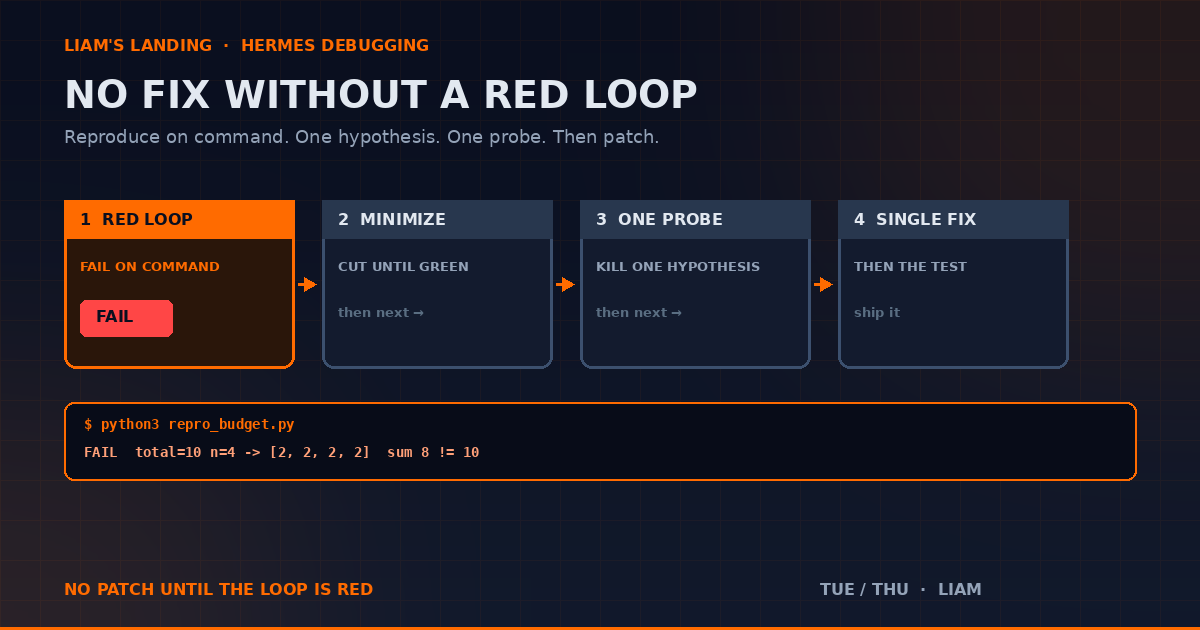
            print(f"FAIL total={total} n={n} -> {split_budget(total, n)}  {e}")
    raise SystemExit(failed)
Run it:
python3 repro_budget.py
You should see FAIL on (10, 4) (sum 8, not 10), (3, 4) (sum 0, not 3), and (100, 7) (sum 98, not 100). (0, 3) and (7, 1) pass, which is useful: the loop is specific, not "everything is on fire."
Now you are allowed to form hypotheses.
- H1: the
n <= 0early return is involved. Prediction:(10, 4)would still fail if we deleted that branch. Probe: it does. Kill H1. - H2: integer division drops the remainder. Prediction:
sum(split_budget(10, 4)) == 8. Probe: 8. Confirmed. - H3: the zero-share case is a second defect. Prediction:
(3, 4)is the same cause as H2, not a new one.divmod(3, 4) == (0, 3)— distributing the remainder would fix both. Confirmed.
One fix:
def split_budget(total: int, n: int) -> list[int]:
    if n <= 0:
        raise ValueError(f"n must be > 0, got {n}")
    if total < 0:
        raise ValueError(f"total must be >= 0, got {total}")
    share, rem = divmod(total, n)
    return [share + (1 if i < rem else 0) for i in range(n)]
Re-run python3 repro_budget.py. All five cases print ok. Then promote the harness to a test:
# tests/test_budget.py
import pytest
from budget import split_budget

@pytest.mark.parametrize("total,n", [(10, 4), (3, 4), (0, 3), (7, 1), (100, 7)])
def test_split_preserves_total_and_fairness(total, n):
    parts = split_budget(total, n)
    assert len(parts) == n
    assert sum(parts) == total
    assert max(parts) - min(parts) <= 1

def test_rejects_bad_n():
    with pytest.raises(ValueError):
        split_budget(10, 0)
The silent return [] on n <= 0 was a second defect hiding behind the first. The red loop made it visible because len(parts) == n is an invariant, not a vibe. The max(1, ...) patch would have made (3, 4) look fixed and made (0, 3) newly wrong. The loop catches both because it asserts the sum, not the vibe that "nobody got zero."
What to Tell Hermes
Paste this at the start of a debugging session. Adjust the command. Do not skip the "do not patch" line.
Debug this. Do not patch anything until the red loop is green-capable
and currently red.

Symptom: <one sentence, the user's actual complaint>
Red loop: <exact command>
Expected: <what green looks like>
Do not touch production files in this turn.
Write hypotheses to debug-log.md. Test one. Report the probe and the result.
If you have systematic-debugging installed, say so:
Follow the systematic-debugging skill. Phase 1 only. Stop before Phase 4.
For a multi-component failure, delegate investigation, not the fix. Give the child the error, the file path, and the exact command. It does not get permission to edit. Treat its summary as a claim. Re-run the loop yourself.
The Rule of Three
If three patches have failed, stop. That is not "try a fourth." That is "the architecture is the bug."
The pattern: each fix reveals new shared state in a different place, or each fix requires a "small refactor" that keeps growing. You are no longer debugging a function. You are negotiating with a design.
Say that out loud to the agent. I have watched Hermes cheerfully emit Fix #6 because nobody told it the cap was 3.
What Not to Do
- Don't open the stack-trace file first. Reproduce first.
- Don't accept a test that already passes as a red loop.
- Don't "just try"
max(1, ...)or a broaderexcept. Those are symptom patches. - Don't add logs without a
[DEBUG-xxxx]tag. - Don't test two hypotheses in one probe.
- Don't let a subagent fix. Let it investigate. You verify.
- Don't skip the regression test because the harness already passed. The harness will be deleted. The test will not.
- Don't disable the failing test to "unblock CI." That is the try/except returning True, with extra ceremony.
A Project to Try Tonight
Take a bug you already fixed this month. In a throwaway branch:
git revertthe fix, or check out the parent SHA.- Write a red-loop command that fails on the original symptom. Time yourself. If it takes more than 15 minutes, the original fix was under-specified.
- Shrink the repro until removing any remaining piece makes it green.
- Write three hypotheses in a file. Kill two with probes that do not edit production code.
- Re-apply the fix as a single change. Confirm the loop goes green. Confirm the suite still passes.
If step 2 produces a test that would not have caught the original bug, your "fix" was a coincident green. That is the whole point of this post.
The agent is fast at editing. It is not fast at knowing whether the edit mattered. The red loop is how you tell.