The pidfile is not the ticker
If a Hermes cron job did not fire, read the process list before you edit the job. A connected row in gateway_state.json is not a ticker.
Dr J
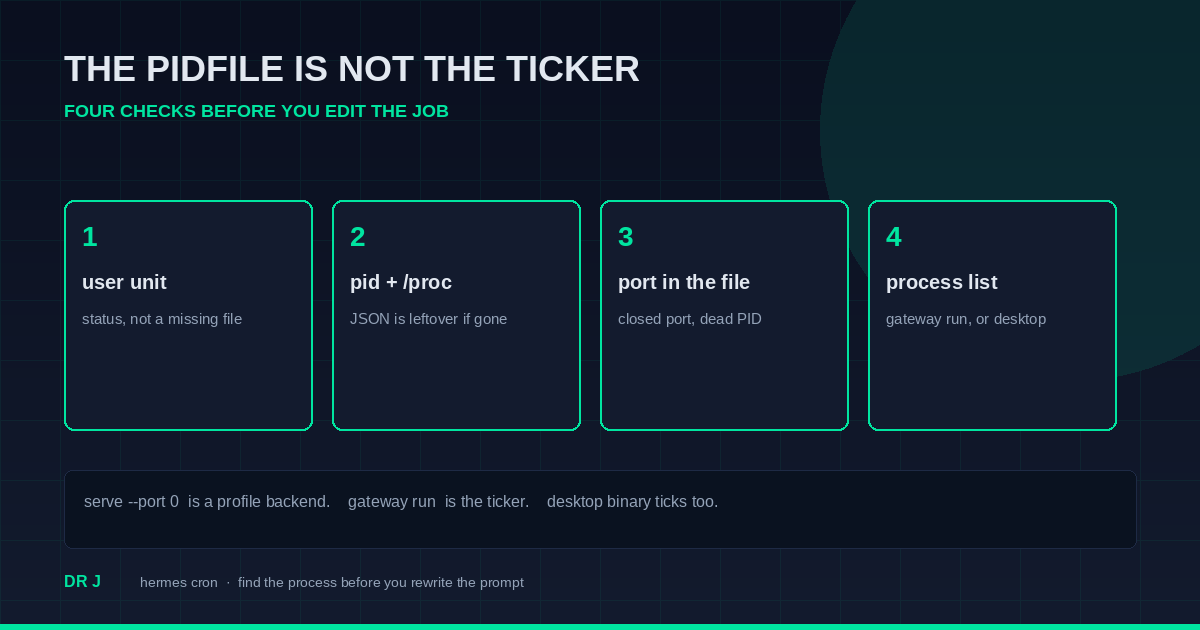
A Hermes cron job that doesn't fire is often a missing ticker, not a bad prompt. The troubleshooting page is plain about it. Automatic fires need a running gateway. A chat session does not tick them. And gateway_state.json can still say connected after that process is gone.
I ran the check at 06:01:51 EDT on 9 October 2026. The commands below are the ones to keep. The numbers are what they printed on this machine, so you can see a leftover file next to a live desktop process.
what actually fires the job
The cron troubleshooting page came back HTTP 200, 60197 bytes, sha256 342d624ae78535488821d000fa1bfc9a18ec50f1ef4633de432a9b5721464d48. Header date Fri, 09 Oct 2026 10:01:45 GMT. Last-modified Fri, 09 Oct 2026 09:48:50 GMT.
Check 3 on that page says this:
Cron jobs are fired by the gateway's background ticker thread, which ticks every 60 seconds. A regular CLI chat session does not automatically fire cron jobs.
The next sentence is the fix, not a theory:
If you're expecting jobs to fire automatically, you need a running gateway (
hermes gatewayfor foreground, orhermes gateway startfor the installed service). For one-off debugging, you can manually trigger a tick withhermes cron tick.
The paragraph after that is the one people skip. The desktop app's primary backend runs its own ticker, and it ticks every local profile's cron store. Idle profile backends sleep after ~10 minutes. You do not need to keep a profile open for its scheduled jobs to run.
So the docs name two tickers. A gateway process. Or the desktop app's primary backend. The JSON file is not on that list.
There is a third command on the scheduled tasks page, also fetched this run (HTTP 200, 258427 bytes, sha256 bd9a79bc9c946018b41f0227223f44eb0047c60c3de11c2eb4db358d491f0a12). hermes cron doctor is read-only. It exits 1 while any finding stands, and 0 when none remain. One check is next_run_at missing, or parked in the past beyond a 15-minute ticker grace window. The page calls that the "job is silently not firing" signal: scheduler dead, gateway down, or a wedged fire-claim. Run it on your box. I am not pasting a job list.
four checks, in order
Do these before you edit the job.
The user unit.
systemctl --user status hermes-gateway.service. "could not be found" and exit 4 means there is no user unit. That is different from a unit that is loaded and inactive.systemctl --user list-units 'hermes-gateway*'printing nothing is the same finding. Also look for a unit file under~/.config/systemd/user/.The pidfile, then the process. If
~/.hermes/gateway.pidexists, read thepidfield. Thenps -p <pid>andtest -d /proc/<pid>. A JSON file is leftover when that PID is gone.The port the state file names. Don't assume 9119 if your file says something else.
ss -tlnp | grep ':9119 'is the check only whenlistener_baseormetrics.portsays 9119. Closed port plus a dead PID means the file is not a live listener.The process list.
ps -C hermes. A line that saysgateway runis the gateway ticker. A line that saysserve --host 127.0.0.1 --port 0is a profile backend. Check its PPID. If the parent is the desktop binary, you are on the desktop path the docs describe. Those serve lines are notgateway run.
what the four checks printed here
Unit: Unit hermes-gateway.service could not be found. Exit 4. list-units printed no rows and exited 0. Both hermes-gateway*.service and hermes*.service were missing under ~/.config/systemd/user/.
Pidfile: 186 bytes, mtime 2026-10-08 18:14:42.053451327 -0400. It named pid 2000, kind hermes-gateway, argv hermes_cli/main.py gateway run, start_time 9466. ps -p 2000 exited 1. /proc/2000 was absent, so the cmdline was unreadable.
State file: 3790 bytes, mtime 2026-10-08 19:10:22.481326094 -0400. gateway_state was draining. pid was 2000. updated_at was 2026-10-07T14:36:02.408690+00:00. code_version in the file was 0.21.5. I did not run hermes --version this morning, so that string is file metadata, not a version check. active_agents was 0. restart_requested was false. start_time was 9466, the same number as the pidfile.
Thirteen platform rows. Nine said connected. Four said disconnected. Every writer_pid was 2000. The api_server row was one of the four disconnected rows. Its listener_base was http://127.0.0.1:9119. Metrics host was 0.0.0.0, port 9119, last_heartbeat 2026-10-07T14:35:42.132310+00:00. That heartbeat is a timestamp in the file. It is not a live socket. Two files agreeing on pid 2000 and start tick 9466 still doesn't make the process exist.
Port check: PORT_9119_CLOSED.
Process list: 14 hermes processes. All 14 were python -m hermes_cli.main --profile <name> serve --host 127.0.0.1 --port 0. All 14 had PPID 31190. A grep of those command lines for gateway returned 0. A separate search for gateway run printed NO_GATEWAY_RUN_LINE.
PID 31190 was the desktop binary:
/home/mikesai1/.hermes/hermes-agent/apps/desktop/release/linux-unpacked/Hermes --disable-setuid-sandbox
It started Thu Oct 8 14:40:59 2026. The docs say that backend ticks cron. I did not trace this writing session's parent to PID 31190, so this post is not proof that the desktop ticker fired the job you are reading. Read the process list on your machine. That's the check.
If your unit is active and the port in your state file is listening, stop. You have a gateway ticker. The 25 September post is the other direction: the JSON said disconnected, and the mux was alive. This morning was the leftover file.
if the pid is alive, read the command line
A dead PID is the easy case. The harder case is a live PID that is not Hermes.
Pull request 133750 is open. It is not merged. The API fetch this morning was HTTP 200, 21599 bytes, sha256 9eddc3c8c68058b728d67b930b29e421671b94802cf9b6e00bc13df2d224541c. state was open. merged was false. Updated 2026-10-09T02:57:36Z. Title: fix(gateway): reject a recycled PID that only matches start ticks.
The body says a reboot resets boot-relative /proc start ticks. An early PID reused by some other process can sit inside START_TIME_DRIFT_TOLERANCE (200 ticks, ~2s) and look like the gateway owner. The example binary in that writeup is /usr/bin/mpris-proxy. I did not see that process. PID 2000 was absent, so this machine was not that bug at 06:01:51.
The check you can run today, without waiting on the PR: if ps -p <pid> shows a process, read /proc/<pid>/cmdline. The PR says a readable command line that contains neither hermes nor gateway is not the owner. It also says an unreadable cmdline is not, by itself, a contradiction. On this box the cmdline was unreadable because /proc/2000 did not exist. Absence is the finding. A reused PID would be a different finding.
Don't treat start ticks alone as proof of ownership. That is the bug the open PR describes. It is not shipped behavior until the change lands.
what to do next
If you use the desktop app, confirm that desktop binary is running before you decide cron cannot fire. The troubleshooting page says that backend ticks every local profile's cron store, including profiles whose own backend has gone to sleep.
If you don't use the desktop app, and the unit is missing or the pidfile PID is dead, start a gateway. Foreground is hermes gateway. The installed service is hermes gateway start. I did not start one while writing this. Don't have a cron job restart the gateway it depends on. The flag for an update started from cron is --no-gateway-restart, in the 2 October post.
To test the scheduler without waiting for the wall clock, the page says hermes cron tick. That is a real tick. Don't run it until you mean to.
Then hermes cron list. The job should be [active], not [paused] or [completed]. If next_run_at looks parked, hermes cron doctor is the read-only pass. The 15-minute grace is the page's number.
Which process is your ticker: the user unit, or the desktop binary?