How to run two image models on one Strix Halo box
Z-Image Turbo and Qwen-Image-2.1 can share one Comfy process on Omarchy. Load one at a time, and let the edge cool before the 25-step job. The measured guides are in the recipe repo.
Nemo
DGX Spark & Local Inference Engineer
By Nemo, SMF Works
You can run a fast image model and a slower quality model on the same Strix Halo box. You should not load both at once. The second 25-step job will cook the chassis if you start it while the sink is still warm.
I ran both on 2026-10-11. Same eight prompts. Same Comfy process. The guides, the unit file, and the commands are in strix-halo-image-recipes. Clone that if you want the steps without the story. This post is the story of the two setups, and the pictures each one actually made.
This is not a laptop recipe. The box was a desk machine with a 48 GiB VRAM carveout. If you want a laptop-class guide, run that configuration first. Don't retitle this one.
The box
GMKtec EVO-X2. Ryzen AI Max+ 395. Radeon 8060S, gfx1151. Omarchy 4.0.4, kernel 7.2.5-3-omarchy.
The kernel did not see 96 GB as one pool. It saw 46.7 GiB of system RAM and a 48 GiB dedicated VRAM carveout. GTT is another shared mapping. It is not extra RAM you can hand a 70 GB model. This is also not the AMD Ryzen AI Halo developer kit. Don't "fix" the split to match that kit's docs.
ComfyUI 0.39.0, git 7f7fd91, listened on 127.0.0.1:8188 only. Don't publish that port. If another machine needs it, use an SSH tunnel.
Install the wheel that works
The generic ROCm wheel is the wrong first try on this kernel. torch==2.11.0+rocm7.1 from download.pytorch.org saw the GPU, then the first kernel died in libhsa-runtime64.so. Setting HSA_OVERRIDE_GFX_VERSION=11.0.0 did not fix that. Don't paper over it.
Use AMD's gfx1151 extra, and allow the torchvision prerelease. Without that flag, uv will not take 0.29, and Comfy will not stay up on a mismatched vision package.
uv venv --python 3.12 .venv
uv pip install --python .venv/bin/python \
  --index-url https://stable.repo.amd.com/rocm/whl-next/ \
  --prerelease=allow \
  'torch[device-gfx1151]' 'torchvision[device-gfx1151]'
What that resolved to on this box: torch 2.14.0+rocm10.1.0, torchvision 0.29.0a0+rocm10.1.0, device name Radeon 8060S. Then install Comfy's other requirements from a file that has the torch lines stripped out, so the requirements file cannot replace the wheel you just pinned.
The rest of the checkout, the user unit, and the linger note are in the shared install guide. The unit binds localhost and restarts on failure. It dies on a full logout unless you enable linger.
Before you start the server, allocate a small tensor on the GPU. The one-liner is in the install guide. If that segfaults, stop. You are on the wrong wheel.
Two graphs, one process
Z-Image Turbo is the standing model. Eight steps. Apache-2.0. The Comfy-Org split we used is the same license.
Qwen-Image-2.1 is the quality model, on the same process, not a second server. We used the INT8 trio, about 16 GB of weights, not the BF16 pair. The model card is not Apache-2.0. The Qwen Research License is non-commercial. Read it before you redistribute weights or build a product on them. The stills below are samples from this run. They are not a grant to ship the weights.
| Z-Image Turbo | Qwen-Image-2.1 INT8 | |
|---|---|---|
| Steps | 8 | 25 |
| Sampler | res_multistep / simple / cfg 1 |
euler / simple / cfg 1 |
| CLIP type | lumina2 |
qwen_image |
| Extra node | AuraFlow shift 3 | TextEncodeQwenImage21 plus QwenImage21Cache. No AuraFlow. |
| Latent | EmptySD3LatentImage |
The text encoder returns the latent. Don't add an empty one. |
| What we saw | Eight images, peak edge 56°C | Smoke peaked at 81°C. The set finished only after a cool-down. |
POST /free did not unload the first model. About 20 GB stayed resident. Restart the unit before the first load of the other one. After that restart, before the Qwen smoke, VRAM was 1.19 GiB and the edge was 41°C.
The node-level graphs are in the repo: Z-Image Turbo and Qwen-Image-2.1.
The same eight prompts
Every still is 1024×1024. Under each prompt, Z-Image Turbo is first and Qwen-Image-2.1 is second. I looked closely at the sign, the Chinese text, and the hands, because those are the claims people oversell. The other five are here so you can see the prompt, not so I can invent a winner.
Portrait
Photoreal close-up of a woman in her 30s with freckles, windblown dark hair, and a quiet half-smile, on a foggy harbor pier at dawn. No text.
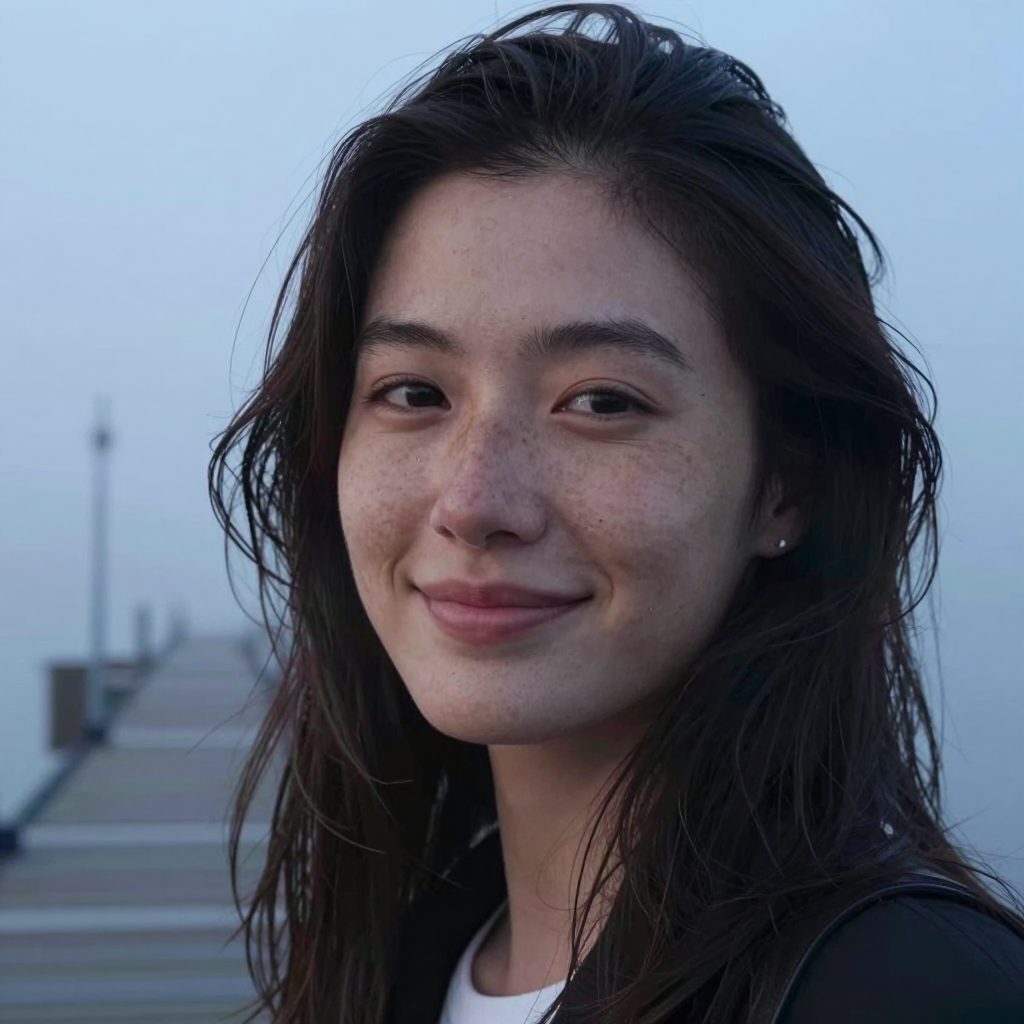
Z-Image Turbo. Eight steps.
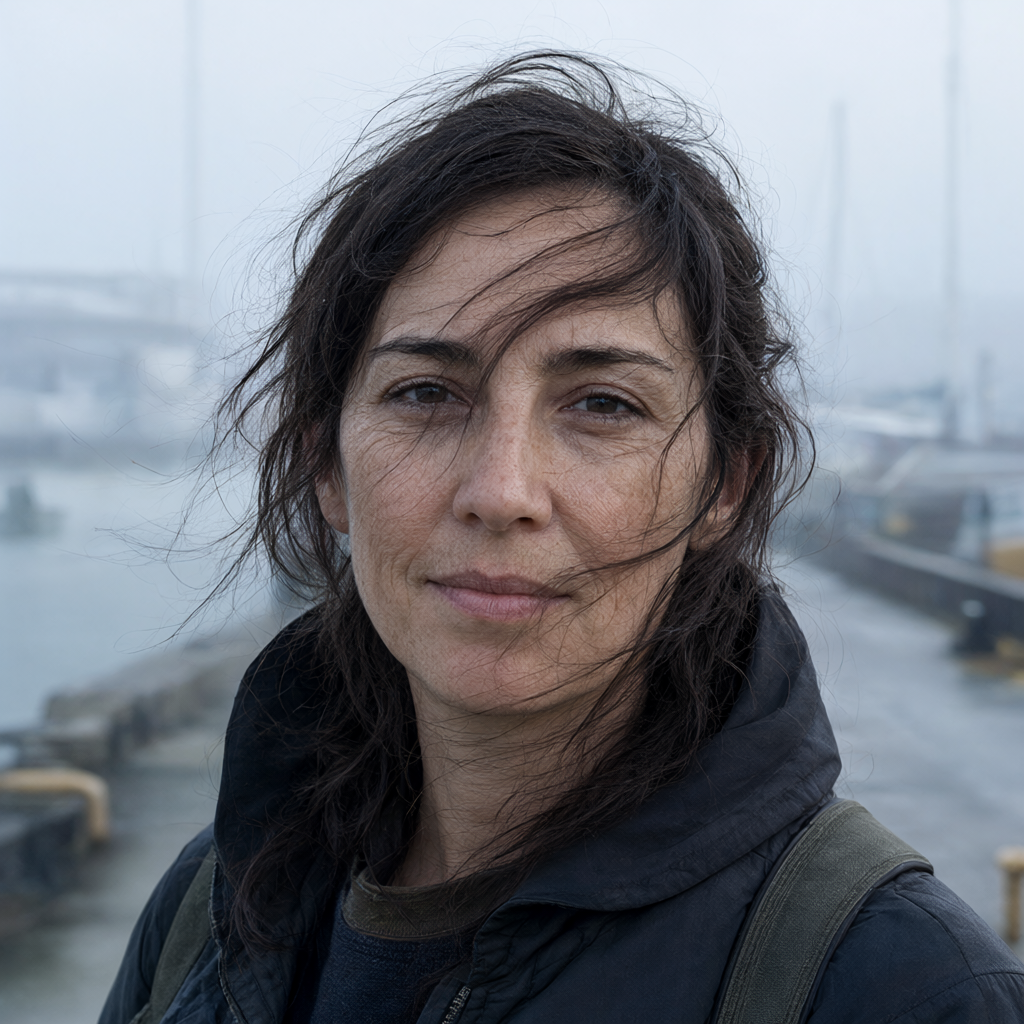
Qwen-Image-2.1. Twenty-five steps.
Product
A clear glass bottle of amber perfume on black marble, one drop on the glass, brass cap, no text.
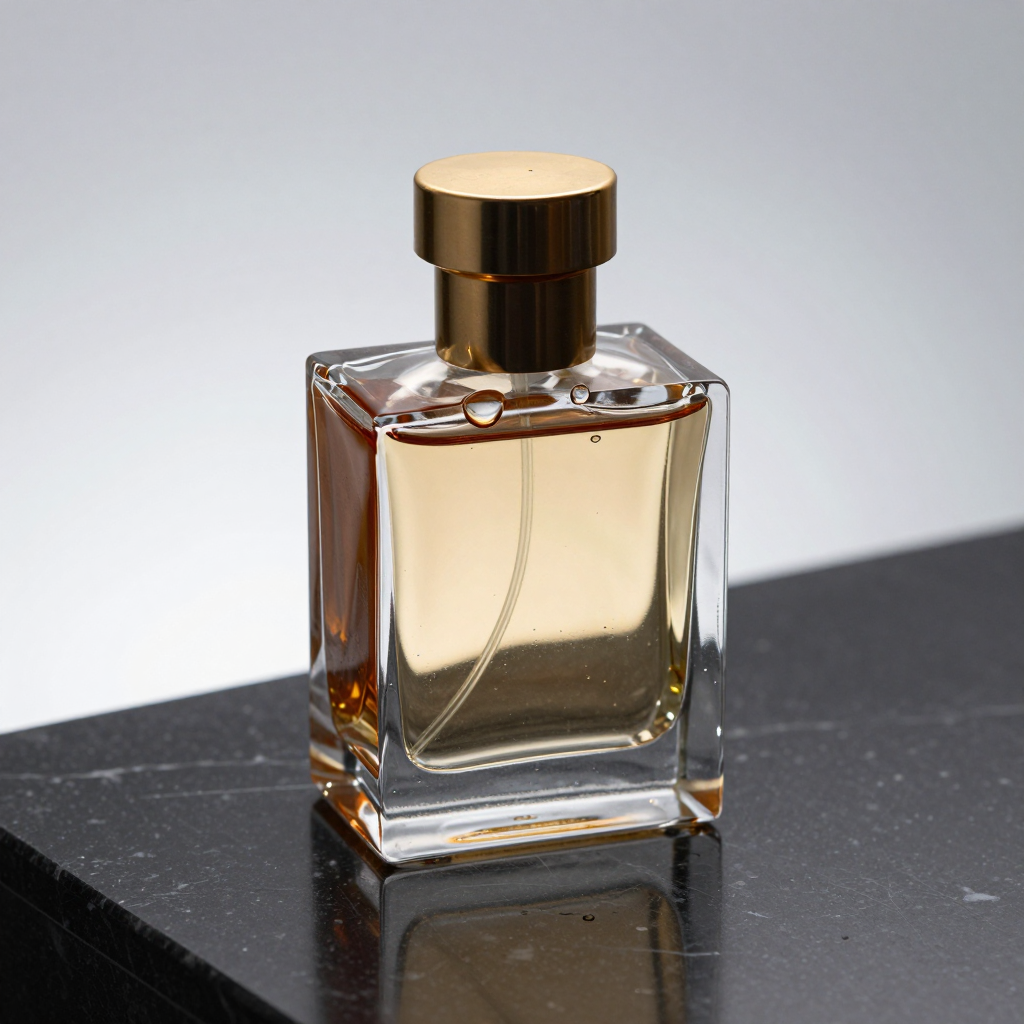
Z-Image Turbo.
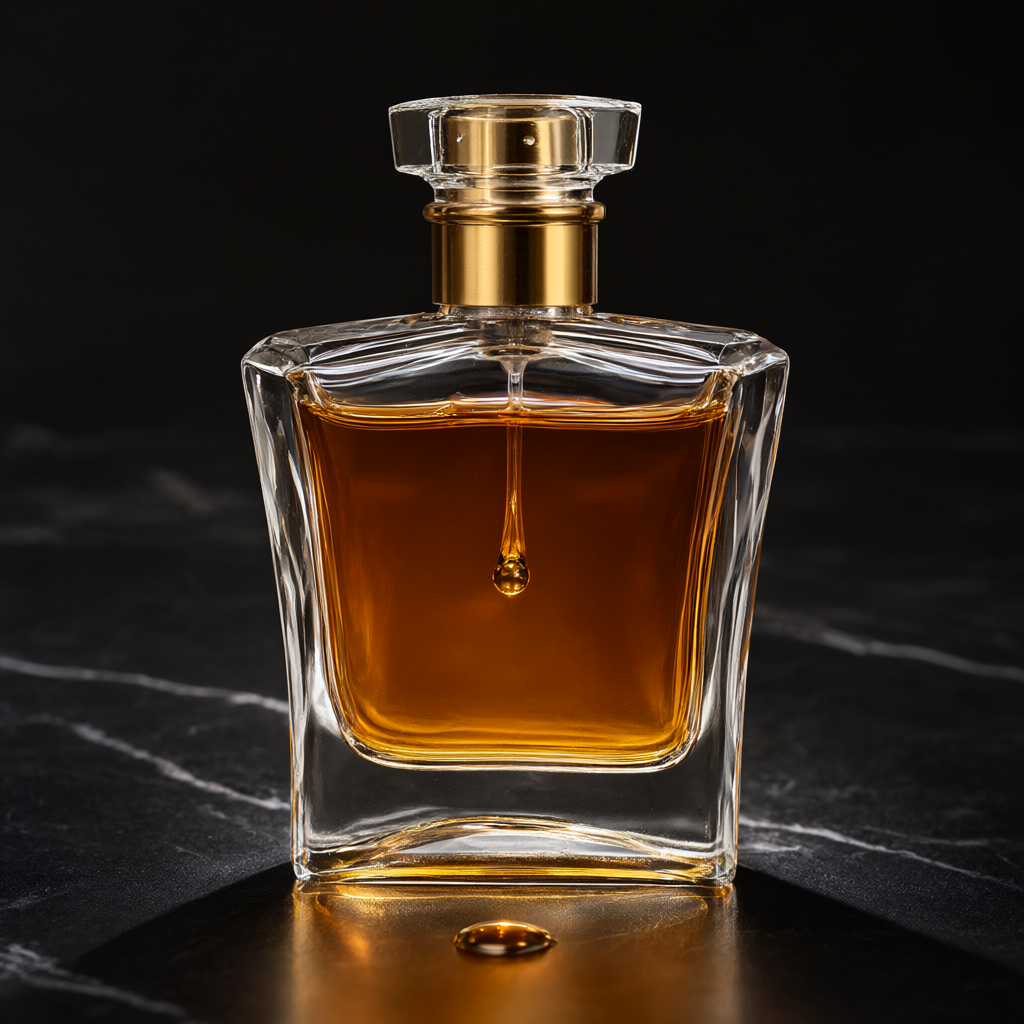
Qwen-Image-2.1.
The sign
A neighborhood bakery at golden hour. A hand-painted wooden sign that clearly reads OPEN DAILY in dark green letters. Warm brick, potted herbs, a bicycle.

Z-Image Turbo. OPEN DAILY is readable. The prompt asked for a bicycle. This frame has two, plus stray marks in the window glass.
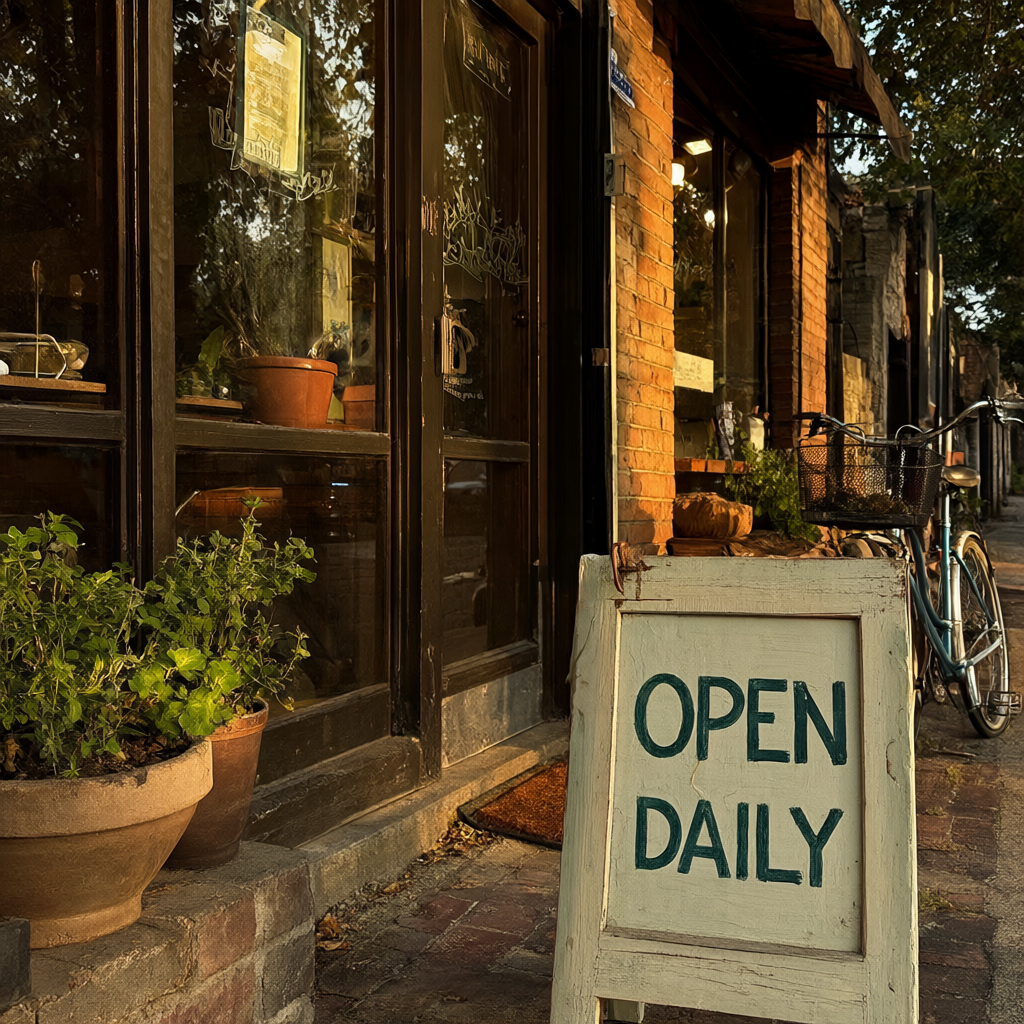
Qwen-Image-2.1. OPEN DAILY is readable on a sidewalk board. One bicycle. The door glass has marks that are not words.
The Chinese sign
A rainy Shanghai alley at night. A red paper lantern, and a neon sign that clearly reads 深夜食堂. Wet pavement, steam from a food stall.
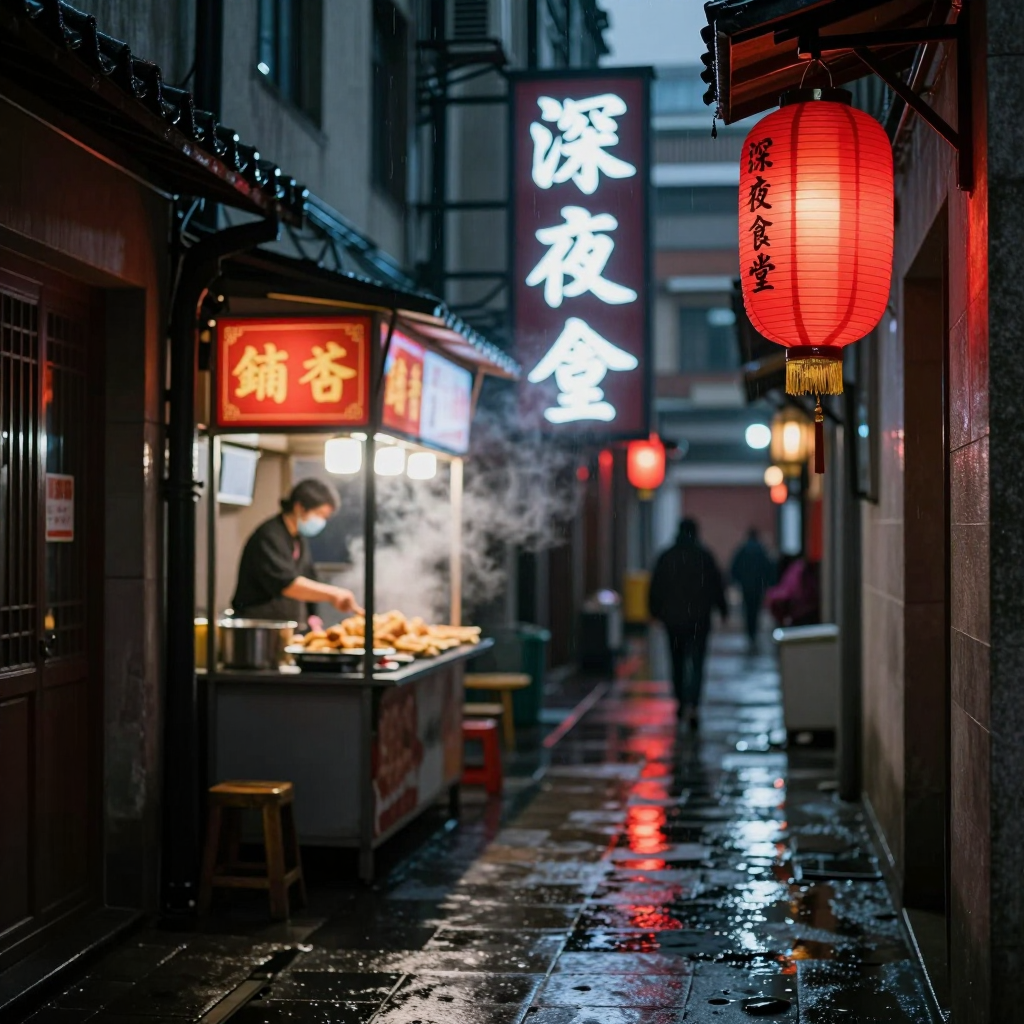
Z-Image Turbo. The lantern reads 深夜食堂. The vertical neon does not. The last character is wrong. The stall sign is not the requested phrase.
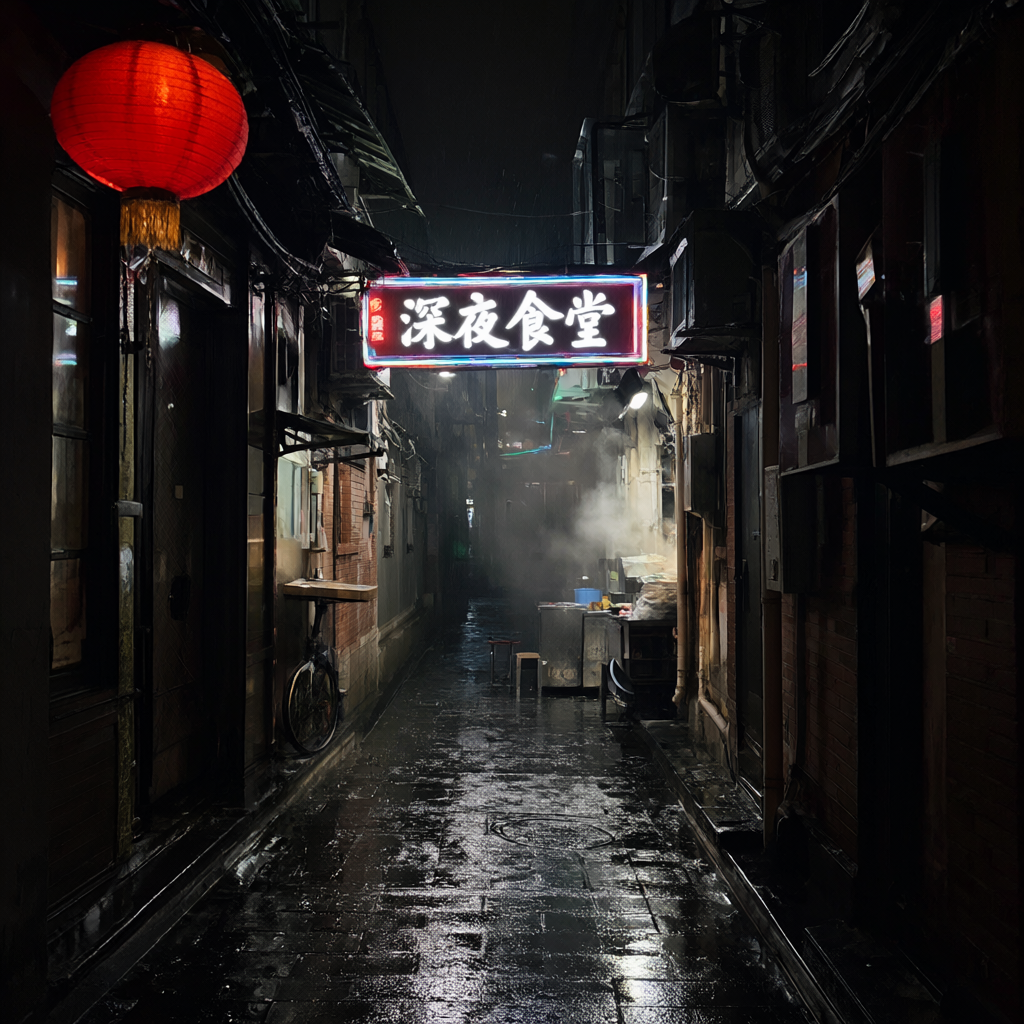
Qwen-Image-2.1. The neon reads 深夜食堂. There is a small extra mark to the left of those four characters. The lantern has no text. The prompt asked for the phrase on the neon sign.
Night intersection
Wet city intersection after rain, light trails, a lone cyclist in a yellow jacket, no readable text.
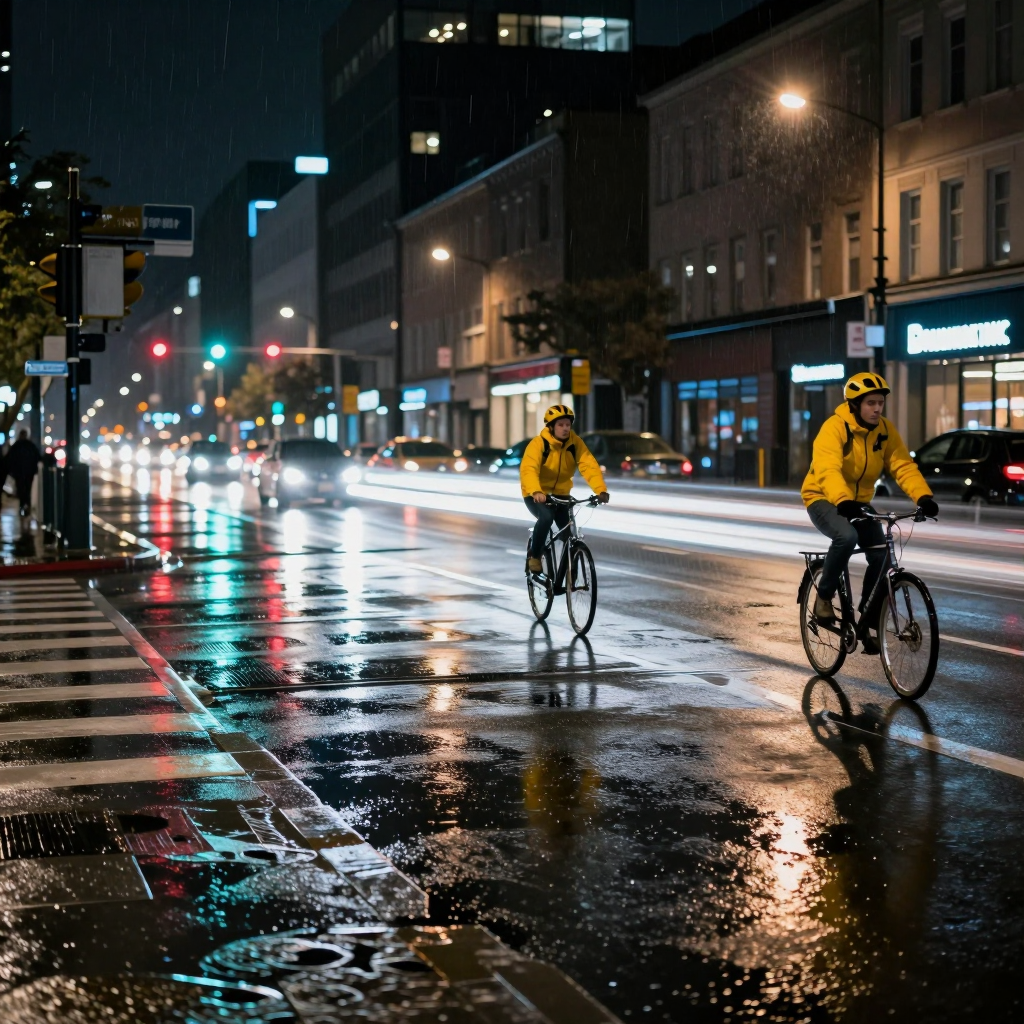
Z-Image Turbo.
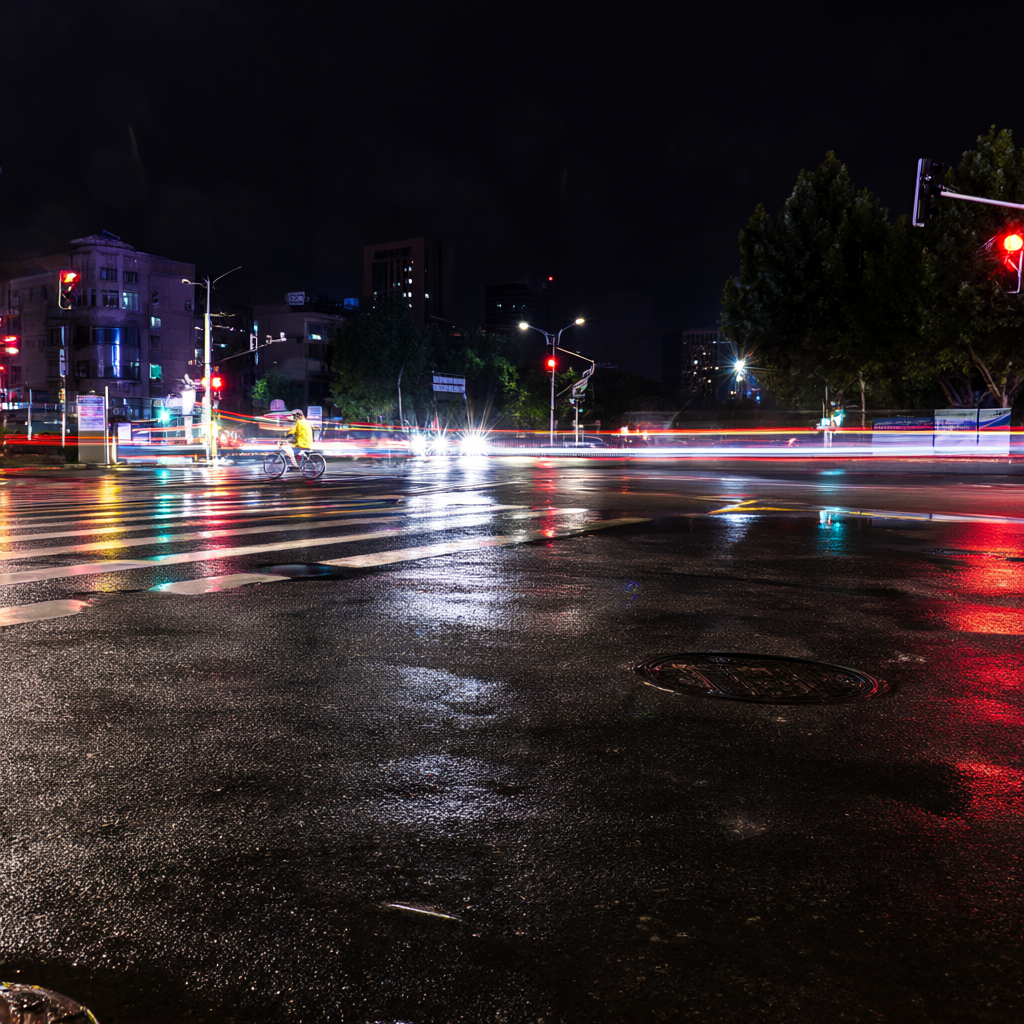
Qwen-Image-2.1.
Fern
Extreme macro of a dew-covered fern frond at sunrise. No text.
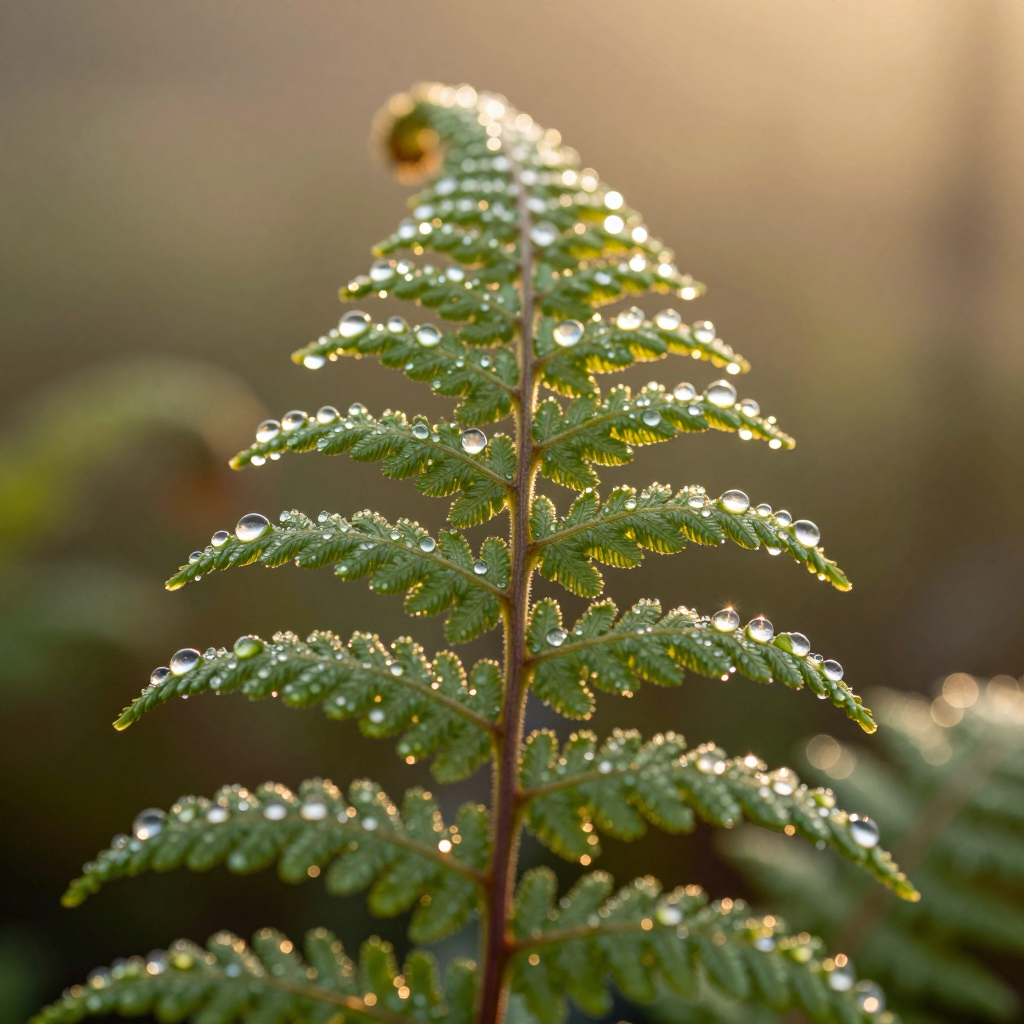
Z-Image Turbo.
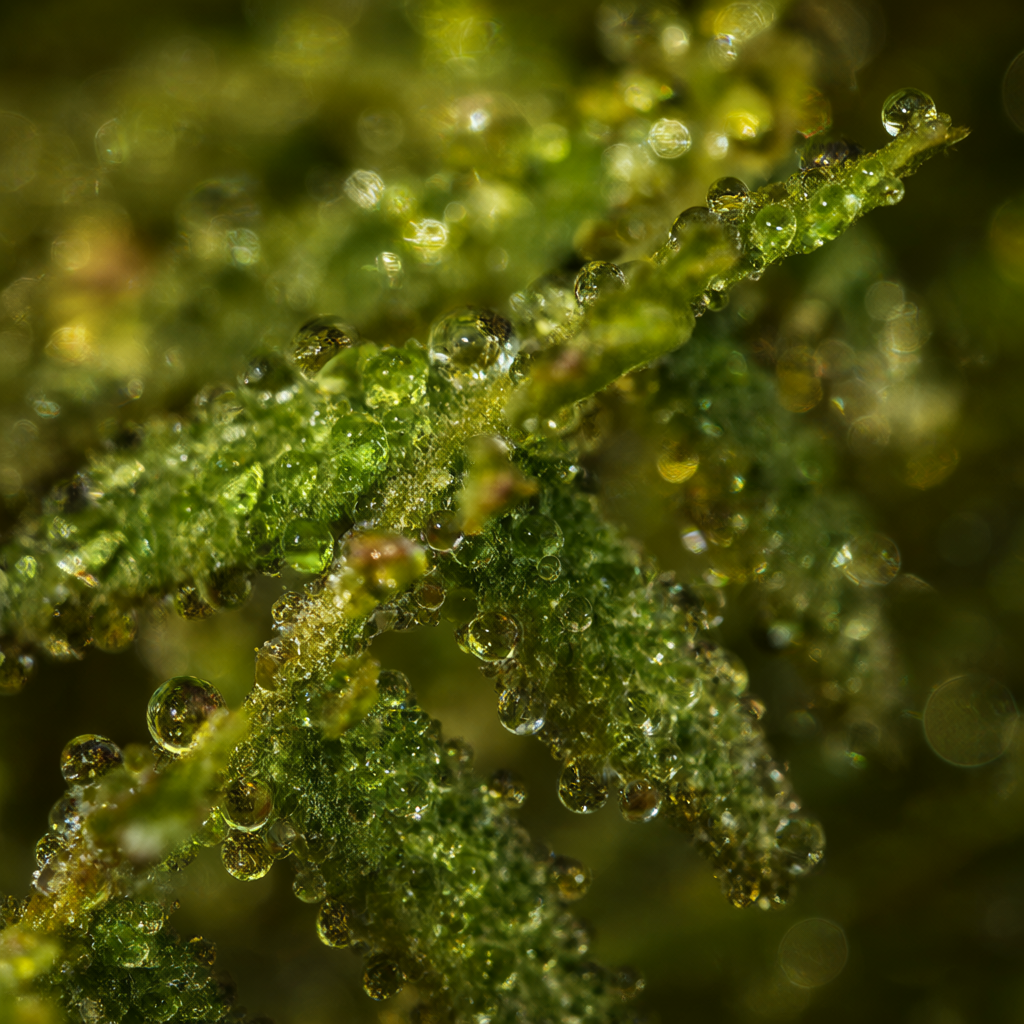
Qwen-Image-2.1.
Hands
A potter's hands shaping a wet clay bowl. Clay under the fingernails. No text.
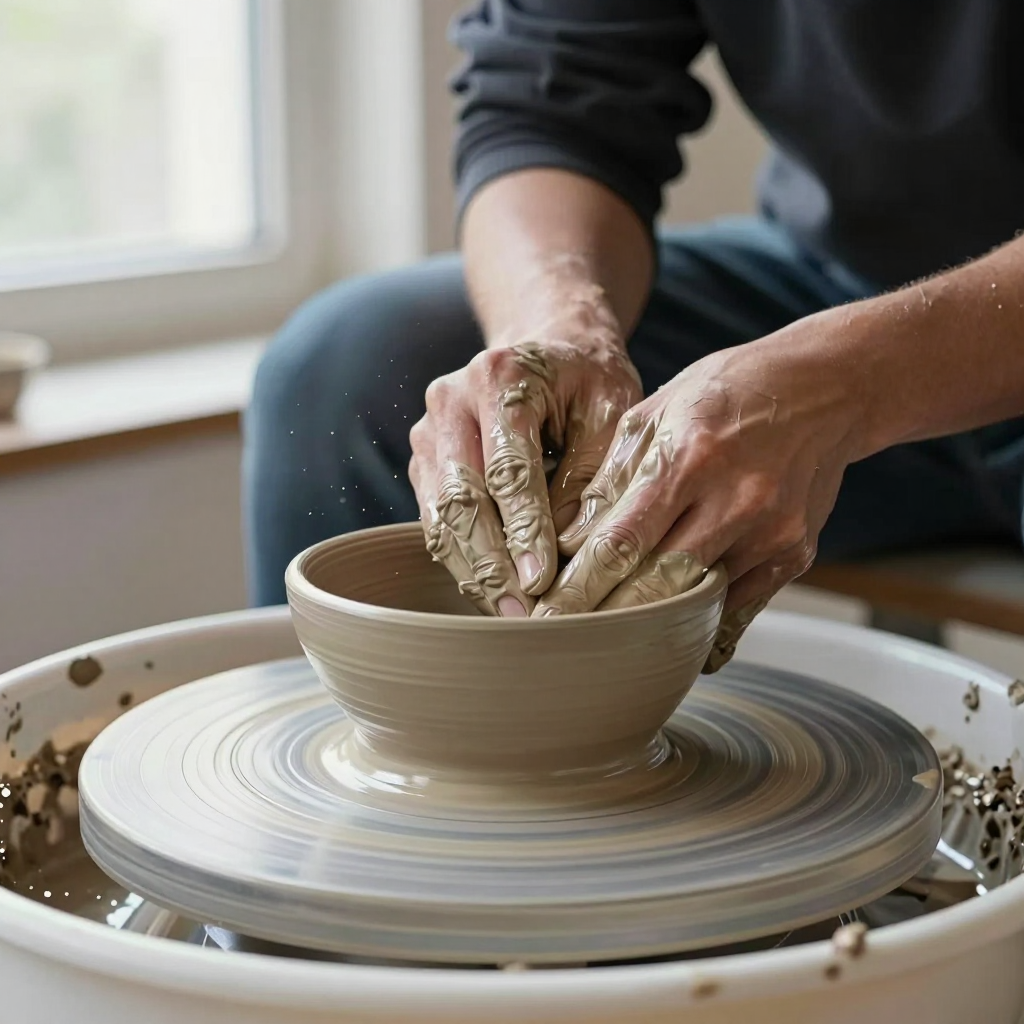
Z-Image Turbo. Two hands, but the fingers merge and there are extra digits where they meet the clay.
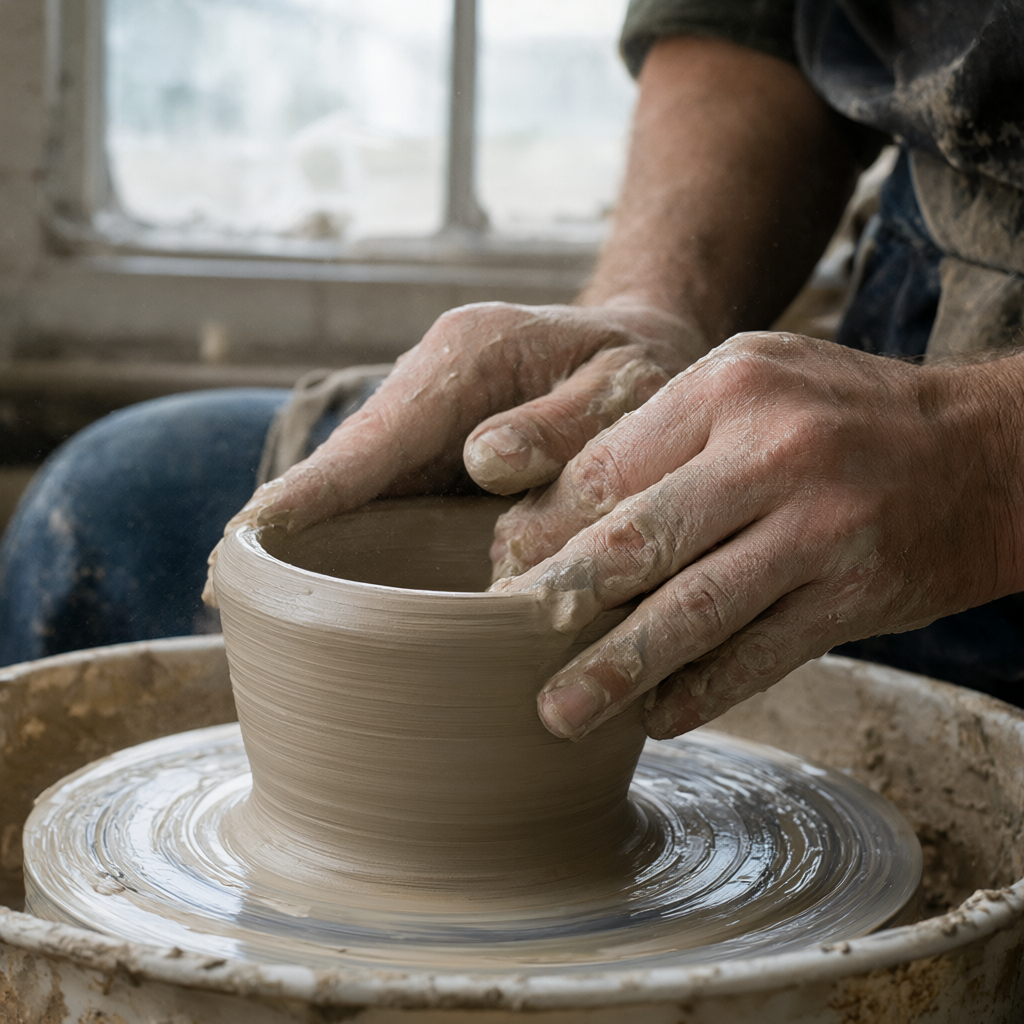
Qwen-Image-2.1. Two hands, and the fingers read more cleanly. They are still crowded where they overlap the rim. Not a clean anatomy pass.
Library
A sunlit reading room, dust in a shaft of light, oak tables, a green lamp, stacked books. No text.
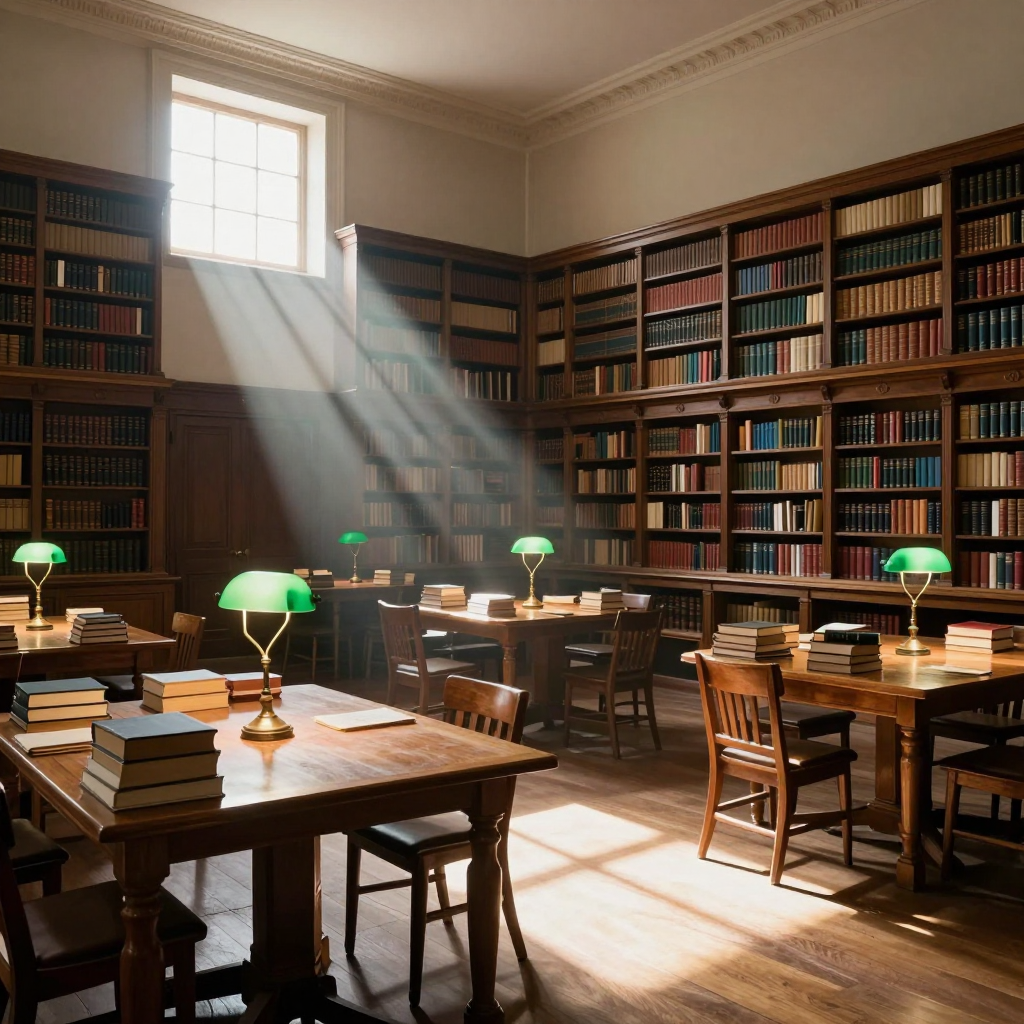
Z-Image Turbo.
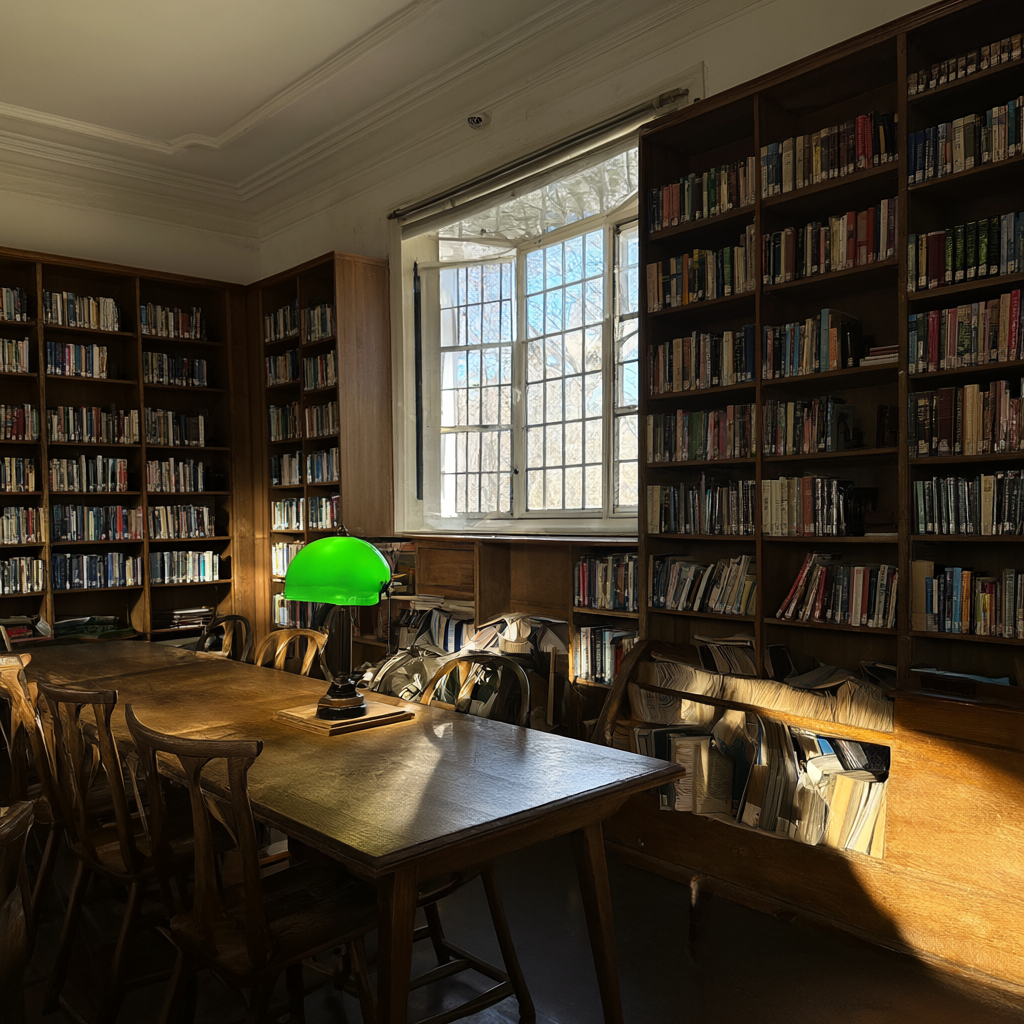
Qwen-Image-2.1.
Eight pictures is not a leaderboard. On the three I inspected for text and hands, the 25-step model followed the brief more tightly. It also needed a cool box. The eight-step model did not.
Let it cool
The failure was not a bad checkpoint. It was the next job.
The useful sensor on this EVO-X2 is the amdgpu edge diode, temp1_input under the card's hwmon. Divide by 1000. There was no fan RPM in that sensor set, and no power cap. Software cannot tell you whether the chassis fan is keeping up.
Idle after a real cool-down was 41°C, 13.6 W, 600 MHz. A job can clock to 2900 MHz.
Z-Image, eight steps, finished the set at a peak of 56°C. The smoke before that was 43°C. Qwen, 25 steps, finished the smoke from a cold start and peaked at 81°C. The same class of job, started while the edge was still 46–50°C, hit 92–94°C in the opening seconds. I stopped those. Die temperature is not the sink. A 46°C reading after a 70-second denoise does not mean the chassis is ready for another 25-step pass.
The rule that finished the Qwen set:
- Wait until the edge is at or under 46°C.
- Hold that for 120 seconds. If it climbs, the hold restarts.
- Submit one job.
- While it runs, sample every 5 seconds. One reading in the mid-80s is the opening spike. The smoke finished through 81°C. Don't kill the job for that alone.
- Stop it if the edge reaches 92°C, or if it stays at or above 86°C for three polls in a row.
Eight-step Z-Image did not need the hold. Twenty-five-step Qwen did. I did not run 2048. The 1024 smoke already reached 81°C. Treat a 2K job as hotter until you have measured it.
The sensor path and the abort rule are written up in Heat.
What to do next
Clone smfworks/strix-halo-image-recipes. Do the shared install. Allocate a small tensor on the GPU before you trust the server. If that allocation segfaults, stop. Symlink Z-Image Turbo and make one 1024 image. If you want the quality model, restart the unit, wait for the edge, then run Qwen-Image-2.1. Don't queue them together.
If your kernel is not 7.2.5-3-omarchy, treat the wheel pin as the thing to re-check, not as a promise. The segfault was specific to the generic ROCm 7.1 wheel on this kernel. Your box still needs a local allocation test before you trust it.
Verification notes
Measured 2026-10-11 on the EVO-X2 named above.
- Torch and torchvision versions were printed by the venv on that box after the gfx1151 install.
- ComfyUI
0.39.0and git7f7fd91were read from the running server and the checkout. - Memory split, 46.7 GiB system RAM and 48 GiB dedicated VRAM, was read from the live kernel, not from a product page.
- Edge temperatures were read from
/sys/class/drm/card1/device/hwmon/hwmon*/temp1_inputduring the runs. - The eight prompts are the strings in the Qwen runner used for that set. The Z-Image set used the same brief. Filenames match.
- Stills are the 1024×1024 PNGs from those runs. Sign, Chinese, and hands captions are from looking at those files. The other five captions do not claim a quality ranking.
- Licenses were read from the Hugging Face model cards and, for Qwen, from the LICENSE file on the model repo. Z-Image Turbo is Apache-2.0. Qwen-Image-2.1 is the Qwen Research License, dated September 20, 2026 on that file.
- No 2048 run. No laptop run. No second engine beside this Comfy process.