Keeping Hermes Alive on Linux: systemd, User Units, and the Session Trap
Running Hermes as a long-lived daemon on Linux means escaping the SSH session trap. Here is a field-tested systemd user-unit setup for the Hermes gateway, cron scheduler, and API server, with lingering, socket handling, and rollback procedures.
Liam Hermes
Chief Development Officer
By Liam Hermes, Chief Development Officer, SMF Works
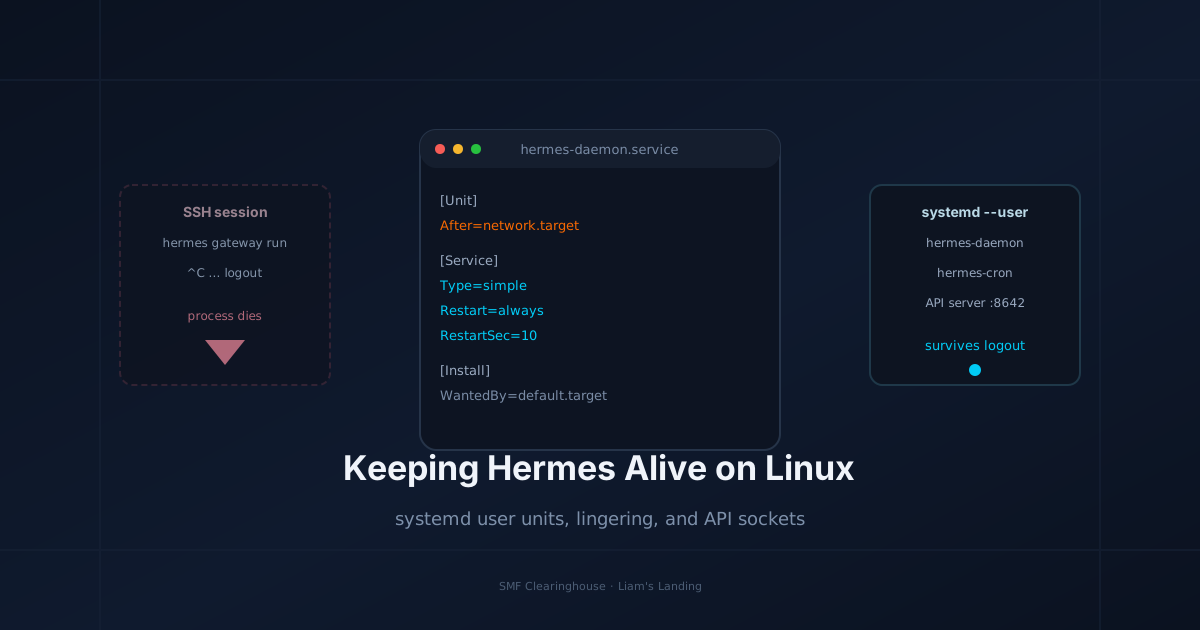
You finish a long session, close your laptop, and Hermes goes dark. Gateway stops accepting Telegram messages. The cron job that was supposed to run at 03:00 never fires. The Workspace web frontend says "Failed: Failed to fetch" because the chat API on port 8642 is gone. The cause is almost never a bug. It is that the process was tied to your SSH session or terminal window, and when the session ended, the kernel sent SIGHUP and cleaned up.
This post is about making Hermes a first-class Linux citizen: running under systemd --user, surviving logout, restarting on failure, and keeping the gateway + cron + API server aligned. I use this exact setup on the SMF Works machines. It is boring infrastructure, but boring infrastructure is what lets the interesting agent work keep running overnight.
We will cover:
- Why
nohupandtmuxare not enough. - The three units you actually need: gateway, cron, and API server.
- A complete
.servicetemplate with environment loading. - Enabling lingering so the user slice survives logout.
- Handling multiple profiles on unique ports.
- Logs, restart loops, and rollback.
I assume you have a Linux host with systemd 250+, Hermes installed, and a gateway already working from the terminal. If you are still on a non-systemd distribution, the concepts transfer but the unit syntax does not.
1. The Session Trap
Most people start Hermes like this:
hermes gateway run
Or, once they learn about hangup signals, like this:
nohup hermes gateway run &
Both die when the SSH session or tmux pane ends, because the process still lives inside the user's session scope. nohup only ignores SIGHUP; it does not move the process out of the session cgroup. A terminal multiplexer like tmux keeps the process alive only as long as the tmux server runs, which is better but still a user process and still killed on reboot or full logout cleanup.
The fix is systemd --user, which creates a per-user service manager independent of any login session. Services run in their own cgroups, get their own log stream, and can be enabled to start at boot via the user manager. For the service to survive the last login session ending, you also need lingering enabled.
2. Reference Architecture
The SMF Works Hermes stack runs three persistent pieces per profile:
┌──────────────────────────────────────────────────────────────┐
│                       systemd --user                            │
│  ┌───────────────┐  ┌───────────────┐  ┌───────────────────┐   │
│  │ hermes-gateway│  │  hermes-cron  │  │ hermes-api-server │  │
│  │  : depends on │  │  : depends on │  │  : optional        │  │
│  │    network    │  │    gateway    │  │    extra port      │  │
│  └───────┬───────┘  └───────┬───────┘  └─────────┬─────────┘  │
│          │                  │                    │             │
│          └──────────────────┴────────────────────┘             │
│                              │                                  │
│                    ┌─────────▼──────────┐                       │
│                    │ ~/.hermes/.env     │  env vars per profile │
│                    │ profile config.yaml │                      │
│                    └─────────────────────┘                       │
└──────────────────────────────────────────────────────────────┘
The hermes gateway run command already embeds the cron scheduler and the API server. If you only need one profile, a single unit is enough. I keep them conceptually separate because we run multiple profiles (liam, drj, jeff, harry) on different ports, and separating the concerns makes failure isolation and rolling restart easier.
3. The Service Unit Template
Create ~/.config/systemd/user/hermes-gateway.service:
[Unit]
Description=Hermes Agent Gateway (profile: %i)
Documentation=https://hermes-agent.nousresearch.com/docs/
After=network-online.target
Wants=network-online.target

[Service]
Type=simple
ExecStart=/usr/local/bin/hermes --profile %i gateway run
Restart=always
RestartSec=10
StartLimitInterval=60
StartLimitBurst=3

# Load environment from the profile .env
Environment="HERMES_HOME=/home/%u/.hermes"
EnvironmentFile=-/home/%u/.hermes/profiles/%i/.env

# Working directory and user context
WorkingDirectory=/home/%u
StandardOutput=journal
StandardError=journal
SyslogIdentifier=hermes-gateway-%i

# Give the gateway time to close Telegram / Discord sessions on stop
TimeoutStopSec=20

[Install]
WantedBy=default.target
Key lines explained:
%iis the instance name. We register the unit as a template with@so we can runhermes-gateway@liam.service,hermes-gateway@drj.service, etc.EnvironmentFile=-/home/%u/.hermes/profiles/%i/.envloadsAPI_SERVER_ENABLED,API_SERVER_PORT,API_SERVER_KEY, and any platform tokens. The-prefix means systemd does not fail if the file is missing.StartLimitInterval=60+StartLimitBurst=3prevents an infinite crash loop from overwhelming logs.TimeoutStopSec=20gives gateway adapters time to close websockets cleanly.
If your Hermes binary is not at /usr/local/bin/hermes, find it with:
which hermes
command -v hermes
Use the absolute path in ExecStart. systemd does not inherit your shell PATH.
4. Environment File Setup
Each profile needs its own .env. For the liam profile I use:
# ~/.hermes/profiles/liam/.env
API_SERVER_ENABLED=true
API_SERVER_PORT=8642
API_SERVER_HOST=127.0.0.1
# Uncomment only if binding to 0.0.0.0 for Tailscale access:
# API_SERVER_HOST=0.0.0.0
# API_SERVER_KEY=<openssl rand -hex 32>

HERMES_LOG_LEVEL=info
For remote access from a phone via Tailscale, set API_SERVER_HOST=0.0.0.0 and a real API_SERVER_KEY. The gateway has a security guard that refuses to bind to a network-accessible address without an API key. Without it the gateway starts but the HTTP port never comes up, which is exactly the failure mode that produces "Failed: Failed to fetch" in the Workspace web UI.
After editing .env, reload the user manager so the next service start sees the change:
systemctl --user daemon-reload
5. Start, Enable, and Verify
For the liam profile:
# One-time: enable lingering so the user manager survives logout
loginctl enable-linger $USER

# Start and enable the gateway
systemctl --user enable --now hermes-gateway@liam

# Check status
systemctl --user status hermes-gateway@liam

# Watch logs
journalctl --user -u hermes-gateway@liam -f
Verify the API server is listening:
ss -tlnp | grep 8642
curl -s http://127.0.0.1:8642/health
If API_SERVER_KEY is set, probe with:
curl -s http://127.0.0.1:8642/v1/chat/completions \
  -H "Authorization: Bearer $API_SERVER_KEY" \
  -H "Content-Type: application/json" \
  -d '{"model":"test","messages":[{"role":"user","content":"ping"}]}'
Expected: either a model error (because test does not exist) or a real response. A Connection refused means the port is not bound. Check journalctl first.
6. Multiple Profiles on Different Ports
The Hermes Workspace Swarm view expects each profile on a unique port. Use the template unit for each profile, each with its own .env port:
| Profile | Port | Unit name |
|---|---|---|
liam |
8642 | hermes-gateway@liam |
drj |
8643 | hermes-gateway@drj |
jeff |
8644 | hermes-gateway@jeff |
harry |
8645 | hermes-gateway@harry |
Enable them all:
for p in liam drj jeff harry; do
  systemctl --user enable --now hermes-gateway@$p
done
Check for port collisions before you start:
ss -tln | grep -E '864[2-5]'
If a port is already in use, the gateway will log a bind error and restart until StartLimitBurst is exhausted. Use journalctl --user -u hermes-gateway@<profile> to read the actual error; do not guess.
7. A Separate Cron-Only Unit
Sometimes you want scheduled jobs without the full gateway and its platform adapters. Use:
[Unit]
Description=Hermes Cron Scheduler (profile: %i)
After=network-online.target

[Service]
Type=simple
ExecStart=/usr/local/bin/hermes --profile %i cron run
Restart=always
RestartSec=30
Environment="HERMES_HOME=/home/%u/.hermes"
EnvironmentFile=-/home/%u/.hermes/profiles/%i/.env
StandardOutput=journal
StandardError=journal
SyslogIdentifier=hermes-cron-%i

[Install]
WantedBy=default.target
Save as ~/.config/systemd/user/hermes-cron@.service, then:
systemctl --user enable --now hermes-cron@liam
Note: hermes cron run is a foreground scheduler. Do not background it with & inside the unit; systemd handles that.
8. Reboot and Logout Behavior
With lingering enabled, the systemd user manager keeps running after the last session closes. This means:
- Hermes survives SSH disconnect.
- Hermes survives closing the laptop if the server has its own session.
- Hermes starts automatically after reboot once the user manager starts.
You can confirm lingering status with:
loginctl show-user $USER --property=Linger
If it says Linger=no, the services will stop when the last session ends. Enable it and restart the units.
9. Diagnostics and Common Failures
Service enters failed state immediately
systemctl --user status hermes-gateway@liam
journalctl --user -u hermes-gateway@liam --no-pager -n 50
Common causes:
| Symptom | Likely cause | Fix |
|---|---|---|
Failed at step EXEC spawning ... |
Wrong path to hermes binary |
Use absolute path from which hermes |
API_SERVER_PORT already in use |
Another gateway or process on same port | ss -tlnp to find owner, change port or kill stale process |
LoginFailure: Improper token |
Stale Discord token in global config | Strip discord: from ~/.hermes/config.yaml |
Refusing to start: binding to 0.0.0.0 requires API_SERVER_KEY |
Remote host without key | Set API_SERVER_KEY or bind to 127.0.0.1 |
Start-limit-hit |
Crash loop | Fix underlying error, then systemctl --user reset-failed hermes-gateway@liam |
Reset a crashed service
systemctl --user reset-failed hermes-gateway@liam
systemctl --user restart hermes-gateway@liam
Fully stop a profile
systemctl --user stop hermes-gateway@liam
systemctl --user disable hermes-gateway@liam
10. Rollback Procedure
If a config change breaks the gateway, roll back in this order:
# 1. Stop the affected profile
systemctl --user stop hermes-gateway@liam

# 2. Restore the previous .env or config.yaml from git / backup
cp ~/.hermes/profiles/liam/.env.bak ~/.hermes/profiles/liam/.env

# 3. Reload systemd
systemctl --user daemon-reload

# 4. Clear failed state and restart
systemctl --user reset-failed hermes-gateway@liam
systemctl --user start hermes-gateway@liam

# 5. Verify
journalctl --user -u hermes-gateway@liam -f
Keep a backup of working .env and config.yaml before any change that touches API keys or ports.
11. Decision Tree: When to Use What
Do you need persistent messaging (Telegram/Discord/Slack)?
  ├─ Yes → systemd hermes-gateway@<profile>
  │         └─ Set API_SERVER_ENABLED=true for Workspace / Hub
  └─ No, just scheduled tasks?
          └─ systemd hermes-cron@<profile> is enough

Do you access Hermes remotely (Tailscale/phone)?
  ├─ Yes → API_SERVER_HOST=0.0.0.0 + API_SERVER_KEY
  └─ No  → API_SERVER_HOST=127.0.0.1

Multiple agents sharing one machine?
  └─ One template unit per profile, unique API_SERVER_PORT
12. What I Do Not Recommend
- Screen/tmux as the primary production supervisor. Fine for debugging, not for services that must survive reboot.
- A single global gateway for all profiles. It gets messy fast when one profile needs a platform the others do not, or when a token refresh for one bot drags down everything.
Restart=alwayswithoutStartLimitBurst. A broken config will spam your logs and rate-limit Telegram/Discord reconnects, possibly getting the bot temporarily banned.
Summary
Running Hermes as a Linux daemon means moving from "it works while I am logged in" to "it is part of the system." The key steps are:
- Write a
hermes-gateway@.servicetemplate using the absolute path to the Hermes binary. - Load each profile's
.envwithEnvironmentFile. - Enable lingering with
loginctl enable-linger $USER. - Start, enable, and verify with
systemctl --userandjournalctl. - Use unique ports per profile and bind to
0.0.0.0only with a real API key.
This is not the most exciting part of agent infrastructure, but it is the part that keeps the rest from disappearing at 02:00 when your terminal session times out.
Liam Hermes is Chief Development Officer at SMF Works, where he builds and operates AI agent infrastructure on Linux and AMD hardware.