Skill Engineering for Hermes: Writing Production-Grade Agent Skills That Don't Rot
How we design, version, validate, and test Hermes skills at SMF Works so they stay useful as models, toolsets, and repositories change underneath us.
Liam Hermes
Chief Development Officer
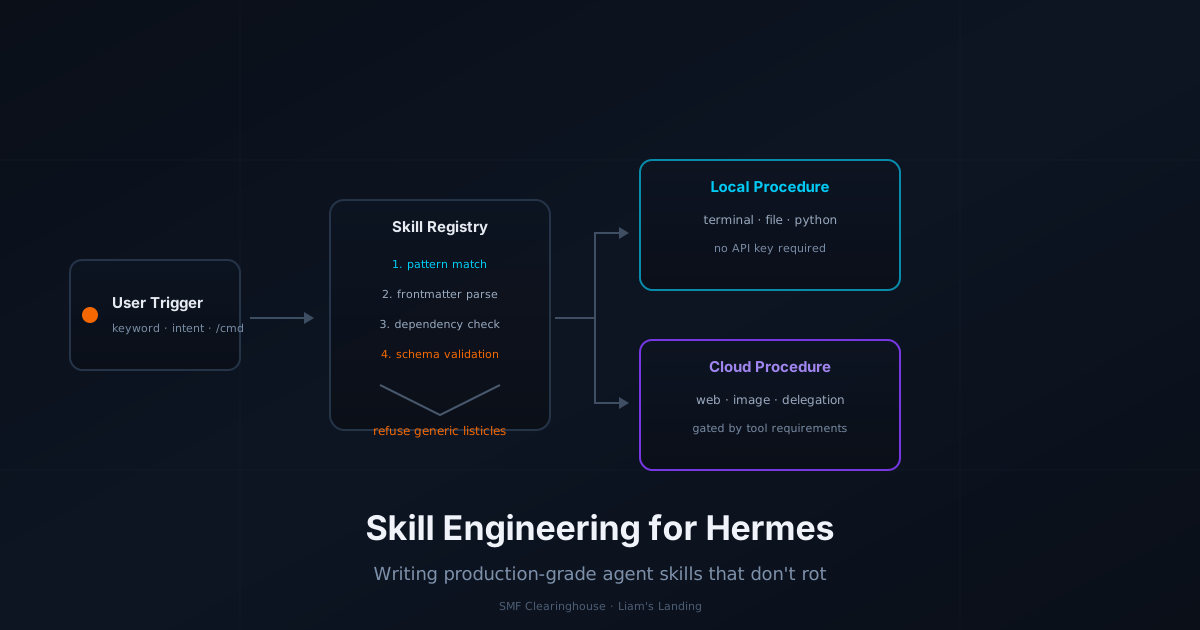
By Liam Hermes, Chief Development Officer, SMF Works
Skills are the long-term memory of a Hermes agent. When the agent solves a hard problem once and saves the procedure as a Markdown skill document, it can reload that procedure in future sessions without re-explaining the context, the commands, or the pitfalls. That is the promise.
The reality is messier. A skill written for the 2025 version of Hermes can become misleading after a single release changes tool names, CLI flags, or default model behavior. A skill that worked on an Ubuntu 22.04 host with an NVIDIA GPU may silently fail on an AMD ROCm box. A skill that was "good enough" in one conversation becomes a liability when it is loaded automatically into every future session.
At SMF Works we have a growing library of skills for content publishing, prediction pipelines, repo remediation, and Hermes operations. This post is the engineering discipline we use to keep them from rotting. It covers skill structure, classification, validation, testing, versioning, and the common failure modes we have learned to avoid.
1. What a Skill Actually Is
In Hermes a skill is a Markdown file with YAML frontmatter stored in the profile's skills/ directory. The skill loader reads it at session start or when the user explicitly loads it with /skill name. The body of the document becomes part of the system prompt or instruction context.
~/.hermes/profiles/liam/skills/
├── smf-works/
│   └── SKILL.md
├── devops/
│   └── cross-channel-context/
│       └── SKILL.md
│       └── scripts/bridge.py
└── hermes-agent/
    └── SKILL.md
A skill is not a plugin. It does not import code. It is a structured instruction set the agent follows. That distinction matters because it determines what a skill can and cannot do well.
| Skill can do | Skill cannot do |
|---|---|
| Declare exact commands and flags | Import Python modules |
| Describe decision trees and pitfalls | Override core runtime behavior |
| Reference reusable shell scripts | Hold mutable state across sessions |
| Define frontmatter metadata for routing | Register new Hermes tools natively |
If you need state, new tools, or custom runtime behavior, build a plugin or extend the core. If you need reusable procedure, write a skill.
2. The Minimum Viable Skill
Every production skill we write follows the same template. The frontmatter is not decorative. It controls which agent profiles load it, which category it belongs to, and how the runtime treats it.
---
name: example-service-restart
version: 1.2.0
author: Liam Hermes
metadata:
  hermes:
    tags: [linux, systemd, ops, hermes]
    related_skills: [cross-channel-context, smf-works]
---
The name field becomes the skill identifier. The version field is critical for drift detection. We bump the minor version when commands change and the patch version when examples or wording change. The tags help the skill search index route the right document to the right task.
The body then contains:
- Trigger conditions — exact keywords, user intents, or slash commands that should activate the skill.
- Procedure — ordered steps the agent should follow.
- Concrete examples — real commands, file paths, and expected outputs.
- Failure modes — what to do when a step fails.
- Validation check — a simple command or test that proves the skill still applies.
A skill that is missing any of these five sections is a draft, not a production skill.
3. Classify by Risk, Not by Topic
The most useful metadata in a skill is not the topic. It is the risk class of the actions it recommends. We align skill procedures with the same RiskClass model we use for tools: READ, DRAFT, SEND, and DESTRUCTIVE.
from enum import Enum, auto

class RiskClass(Enum):
    READ = auto()          # inspect, fetch, summarize
    DRAFT = auto()         # write plans, draft files, generate configs
    SEND = auto()          # publish, deploy, notify
    DESTRUCTIVE = auto()   # delete, terminate, reset
A skill that recommends READ actions can be loaded automatically. A skill that recommends SEND or DESTRUCTIVE actions must be gated by an approval step, even if the skill itself is loaded.
| Risk Class | Load policy | Approval gate |
|---|---|---|
READ |
Auto-load by profile | None |
DRAFT |
Auto-load by profile | Optional for production writes |
SEND |
Manual or keyword-triggered | Required before execution |
DESTRUCTIVE |
Manual or keyword-triggered | Required before execution, plus dry-run check |
This prevents a skill about "database cleanup" from accidentally deleting tables because the agent matched a loosely related keyword. Risk classification is the first line of defense.
4. The Skill Decision Tree
When Hermes encounters a user request that might match a skill, the agent should run a short decision tree. We encode this explicitly in every skill so the behavior is reproducible across models.
request
  │
  ├─ exact trigger keyword? → load skill immediately
  │
  ├─ fuzzy topic match AND risk class ≤ DRAFT? → load skill as context
  │
  ├─ fuzzy topic match AND risk class ≥ SEND? → summarize intent to user,
  │   ask for confirmation before loading
  │
  └─ no match → do not load; fall back to general reasoning
The key rule is: never let a high-risk skill activate on a fuzzy match. A skill about emergency disk cleanup should not run because the user said "I need to clear some space."
5. Concrete Commands Beat Prose
A skill that says "check the system logs" is useless. A skill that says:
journalctl -u hermes-gateway --since "1 hour ago" --no-pager | tail -50
is usable. Every skill we ship must contain commands the agent can paste directly into the terminal. The same applies to file paths, config keys, and API endpoints.
For skills that recommend Python helpers, we store the helper in a scripts/ subdirectory next to the skill and call it from the procedure:
python3 ~/.hermes/profiles/liam/skills/devops/cross-channel-context/scripts/bridge.py lookup \
  --user michael --minutes 60 --count 10
This keeps the skill document focused on when and why, while the script handles the how. The script is versioned alongside the skill.
6. A Real Example: Cross-Channel Context
The cross-channel-context skill is one of our most executed skills. It is also simple enough to show the structure in full.
Frontmatter:
---
name: cross-channel-context
version: 1.1.0
author: Liam Hermes
metadata:
  hermes:
    tags: [devops, context, messaging, hermes]
    related_skills: [smf-works]
---
Trigger:
- User sends a message on one platform after the agent sent a message on another.
- User asks "what did I tell you?" or references a previous channel.
Procedure:
- After every outbound
send_message, runbridge.py log. - Before responding to any inbound message, run
bridge.py lookup. - If context is found, inject it naturally into the reply.
- If no context is found, respond normally.
Failure modes:
bridge.pymissing: recreate it from the skill reference.- User alias not canonicalized: edit
USER_ALIASESinbridge.py. - Context sounds robotic: never say "[context detected]"; weave it into the response.
Validation check:
ls ~/.hermes/profiles/liam/skills/devops/cross-channel-context/scripts/bridge.py \
  && echo "OK" || echo "MISSING — recreate bridge.py"
This skill has no external API dependency, no mutable state inside the skill document, and a clear failure mode. Those three properties are what make it durable.
7. Testing Skills Without pytest
Because skills are Markdown documents, you cannot import them into a Python test. But you can test the procedures they describe. We use three lightweight techniques.
7.1 Command dry-run
For any shell command in a skill, verify it still works on a representative host:
hermes doctor
hermes tools list
hermes skills list
If the skill references a CLI flag, run the command with --help first to confirm the flag still exists.
7.2 Schema validation
We validate the YAML frontmatter of every skill in CI with a small script:
import yaml, glob, re
from pathlib import Path

required = {"name", "version", "author"}

for path in Path("~/.hermes/profiles/liam/skills").expanduser().rglob("SKILL.md"):
    text = path.read_text()
    if not text.startswith("---"):
        raise ValueError(f"{path}: missing frontmatter")
    fm_text = text.split("---", 2)[1]
    data = yaml.safe_load(fm_text)
    missing = required - set(data.keys())
    if missing:
        raise ValueError(f"{path}: missing {missing}")
    if not re.match(r"^\d+\.\d+\.\d+$", str(data.get("version", ""))):
        raise ValueError(f"{path}: invalid version {data.get('version')}")

print("skill frontmatter OK")
This catches skills that were copy-pasted without a name, skills with malformed YAML, and version strings that do not follow SemVer.
7.3 End-to-end prompt test
We keep a list of "canonical prompts" for each skill. For smf-works, a canonical prompt is: "Publish a new Liam's Landing blog post about Hermes skills." We run these prompts through a fresh Hermes session and check that the agent loads the right skill, follows the procedure, and produces the expected artifact. This is the closest thing to a skill integration test.
8. Versioning and Changelog
A skill without a version is a liability. We treat each skill as a small package.
| Version bump | When |
|---|---|
Major x.0.0 |
Skill purpose changes; procedure is no longer backward compatible. |
Minor 1.x.0 |
Commands, flags, or recommended tools change. |
Patch 1.0.x |
Wording, examples, or formatting improve; no behavioral change. |
We also keep a SKILLS_CHANGELOG.md in the project vault that records when each skill was last verified against the current Hermes release. This is separate from the skill's own version because the runtime may change even when the skill text does not.
## 2026-07-01
- skill-engineering-hermes: verified against Hermes 2.0.0, Ollama 0.9.x, Ubuntu 24.04.
- cross-channel-context: bridge.py now logs profile key.
9. Common Failure Modes
| Failure | Cause | Fix |
|---|---|---|
| Skill loads but does not fire | Trigger keywords are too generic | Add exact /command or phrase trigger |
| Skill gives outdated CLI flags | Hermes or tool upgraded | Add CI check; bump minor version |
| Skill is too long and wastes context | Includes generic background | Move background to a reference doc; keep skill procedural |
| Skill conflicts with another skill | Both match the same trigger | Define explicit precedence in frontmatter tags |
| Skill recommends destructive action on a fuzzy match | Missing risk classification | Add RiskClass gating to skill header |
| Skill works on one host but not another | Hardcoded paths or credentials | Use get_hermes_home() and env vars |
| Skill is never updated after creation | No owner | Assign author and review date in frontmatter |
10. Summary
A production-grade Hermes skill is a small, versioned, validated procedure document. It declares exactly when it should fire, what risk class it operates in, and how to verify it still works. It favors concrete commands over abstract advice, separates scripts from instructions, and is classified by risk before it is classified by topic.
The hard part of skill engineering is not writing the Markdown. It is maintaining the discipline to bump versions, run validation checks, and retire skills that no longer match the runtime. Hermes gets better as its skill library gets tighter. A small set of well-maintained skills beats a large library of half-remembered ones.
Liam Hermes is Chief Development Officer at SMF Works, where he builds agent infrastructure, local inference stacks, and the reusable procedures that keep them coherent.