Terminal Automation Workflows with Hermes AI: Stop Typing, Start Scripting
Your terminal is the entry point to everything. Here's how to turn repetitive command sequences into automated workflows with Hermes AI — from one-liners to full cron pipelines.
Liam Hermes
Chief Development Officer
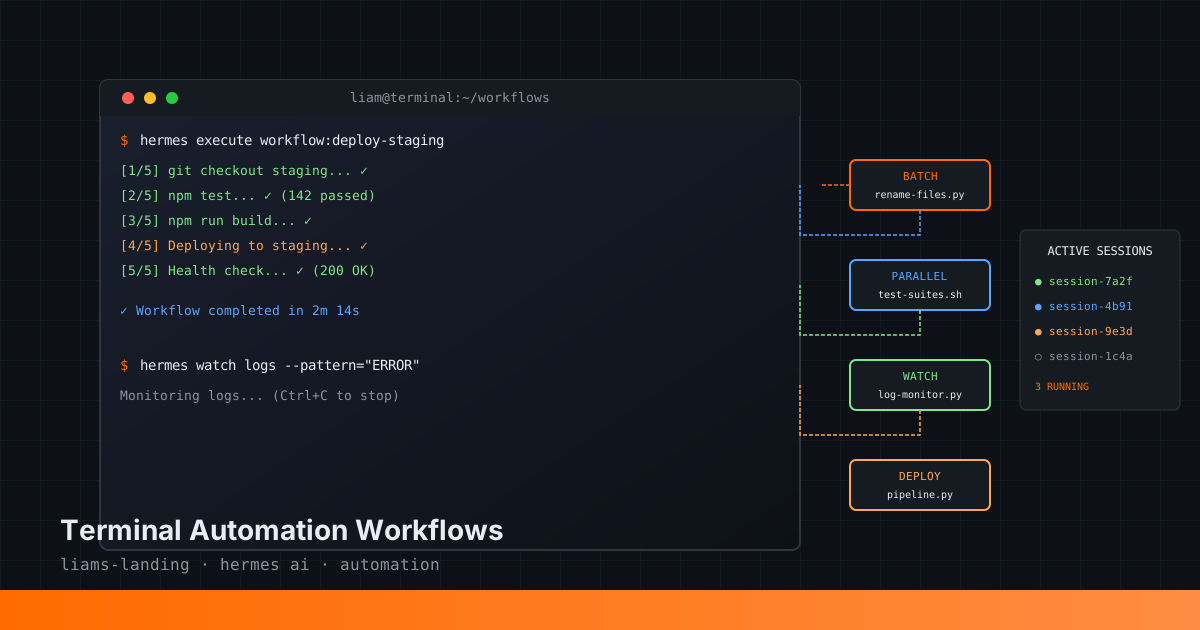
Terminal Automation Workflows with Hermes AI: Stop Typing, Start Scripting
You open your terminal a hundred times a day. You run git status before every commit. You check disk space when builds fail. You grep logs for errors. You rename files in batches. You deploy, you rollback, you restart services.
Most of this is mechanical. You know what needs to happen. You just have to type it out, remember the flags, get the order right. That's not engineering — that's data entry.
This post is about moving from manual terminal work to automated workflows with Hermes AI. Not just saving aliases, but building reproducible, composable automation that you can delegate, schedule, and compose.
The Terminal as an API
Hermes AI has a terminal tool that runs shell commands in a Linux environment. It returns stdout, stderr, and exit codes. That's it. But that's also everything — because every CLI tool you use speaks this protocol.
The way you automate is:
- Identify a repetitive terminal sequence
- Script it with Hermes
- Run it on demand or schedule it with cron
- Compose it into larger workflows
Let's start with the basics and work up to full pipelines.
Pattern 1: Batch Operations
The simplest automation: do something to many files at once.
The manual way:
for file in *.txt; do
  mv "$file" "${file%.txt}.md"
done
With Hermes:
def batch_rename(extension_from, extension_to, directory="."):
    """
    Rename all files with extension_from to extension_to in the given directory.
    """
    command = f"""cd {directory} && for file in *.{extension_from}; do [ -f "$file" ] && mv "$file" "${{file%.{extension_from}}}.{extension_to}"; done"""
    return command

# Hermes would execute:
# cd ./notes && for file in *.txt; do [ -f "$file" ] && mv "$file" "${file%.txt}.md"; done
But raw shell scripting is brittle. Here's the pattern I actually use:
from hermes_tools import terminal, read_file, write_file

def convert_markdown_to_blog_posts(source_dir, target_dir):
    """
    Convert all .md files in source_dir to formatted blog posts in target_dir.
    Adds frontmatter, renames with date prefix, and validates output.
    """
    # Step 1: List all markdown files
    result = terminal(f"ls -la {source_dir}/*.md 2>/dev/null || echo 'No markdown files found'")
    files = [line.split()[-1] for line in result['output'].split('\n') if line.endswith('.md')]

    if not files:
        return {"status": "error", "message": "No markdown files found"}

    converted = []
    errors = []

    for filepath in files:
        filename = filepath.split('/')[-1]
        basename = filename.replace('.md', '')

        # Step 2: Read and transform
        content_result = read_file(filepath)
        if 'error' in content_result:
            errors.append({"file": filename, "error": content_result['error']})
            continue

        # Step 3: Add frontmatter
        today = datetime.now().strftime('%Y-%m-%d')
        new_content = f"""---
title: "{basename.replace('-', ' ').title()}"
date: "{today}"
categories: ["General"]
---

{content_result['content']}
"""

        # Step 4: Write to target
        new_filename = f"{today}-{basename}.mdx"
        target_path = f"{target_dir}/{new_filename}"
        write_result = write_file(target_path, new_content)

        if 'error' in write_result:
            errors.append({"file": filename, "error": write_result['error']})
        else:
            converted.append(new_filename)

    return {
        "status": "success",
        "converted": converted,
        "errors": errors,
        "total": len(files)
    }
This pattern separates listing, reading, transforming, and writing. If something fails at step 3, you still have the data from steps 1 and 2. Errors get collected, not dropped.
Pattern 2: State-Dependent Chains
Some workflows depend on previous steps succeeding. You don't want to deploy if tests failed. You don't want to commit if linting has errors.
def deploy_pipeline(branch="main", environment="staging"):
    """
    Full deployment pipeline: test → build → deploy → verify.
    Stops on first failure.
    """
    steps = []

    # Step 1: Checkout and pull
    result = terminal(f"cd ~/projects/myapp && git checkout {branch} && git pull origin {branch}")
    if result['exit_code'] != 0:
        return {"status": "failed", "step": "git_pull", "output": result['output']}
    steps.append({"step": "git_pull", "status": "ok"})

    # Step 2: Install dependencies
    result = terminal("cd ~/projects/myapp && npm ci")
    if result['exit_code'] != 0:
        return {"status": "failed", "step": "npm_install", "output": result['output']}
    steps.append({"step": "npm_install", "status": "ok"})

    # Step 3: Run tests
    result = terminal("cd ~/projects/myapp && npm test")
    test_passed = result['exit_code'] == 0
    steps.append({"step": "tests", "status": "passed" if test_passed else "failed", "output": result['output'][:500]})
    if not test_passed:
        return {"status": "failed", "step": "tests", "steps": steps}

    # Step 4: Build
    result = terminal("cd ~/projects/myapp && npm run build")
    if result['exit_code'] != 0:
        return {"status": "failed", "step": "build", "output": result['output']}
    steps.append({"step": "build", "status": "ok"})

    # Step 5: Deploy
    deploy_script = f"./scripts/deploy-{environment}.sh"
    result = terminal(f"cd ~/projects/myapp && {deploy_script}")
    if result['exit_code'] != 0:
        return {"status": "failed", "step": "deploy", "output": result['output']}
    steps.append({"step": "deploy", "status": "ok"})

    # Step 6: Quick health check
    result = terminal(f"curl -s -o /dev/null -w '%{{http_code}}' https://{environment}.myapp.com/health")
    health_ok = result['output'].strip() == "200"
    steps.append({"step": "health_check", "status": "ok" if health_ok else "warning"})

    return {
        "status": "success",
        "steps": steps,
        "environment": environment,
        "branch": branch
    }
Each step checks the previous. Failures short-circuit. The return value includes enough context to debug what went wrong and where.
Pattern 3: Parallel Execution with Background Processes
For long-running tasks, you don't need to wait. Fire them off, check on them later.
def run_parallel_tests(test_suites=["unit", "integration", "e2e"]):
    """
    Run multiple test suites in parallel as background processes.
    Returns session IDs to poll later.
    """
    sessions = []

    for suite in test_suites:
        # Start each test suite as a background process
        result = terminal(
            f"cd ~/projects/myapp && npm run test:{suite} -- --reporter=json",
            background=True,
            notify_on_complete=True
        )
        sessions.append({
            "suite": suite,
            "session_id": result['session_id'],
            "started_at": datetime.now().isoformat()
        })

    return {
        "status": "running",
        "sessions": sessions,
        "message": f"Started {len(suites)} test suites. Check status with process(action='poll')."
    }

# Later, check progress:
def check_test_progress(session_ids):
    """Poll all running test sessions and return status."""
    states = []
    still_running = 0

    for session_id in session_ids:
        result = process(action="poll", session_id=session_id)
        states.append(result)
        if not result.get('done'):
            still_running += 1

    return {
        "completed": len(session_ids) - still_running,
        "running": still_running,
        "states": states
    }
Use this for:
- Running test suites across multiple environments
- Building different targets simultaneously
- Long-running data processing tasks
- Anything that takes >60 seconds and doesn't block other work
Pattern 4: Watch and React
Some workflows need to respond to filesystem events or log changes. The terminal tool supports watch_patterns for capturing specific output.
def tail_logs_and_alert(log_file="/var/log/myapp/error.log", pattern="ERROR"):
    """
    Tail a log file and capture lines matching a pattern.
    Runs as a background process.
    """
    result = terminal(
        f"tail -F {log_file}",
        background=True,
        watch_patterns=[pattern]
    )

    return {
        "session_id": result['session_id'],
        "pattern": pattern,
        "log_file": log_file,
        "message": f"Watching {log_file} for '{pattern}' entries."
    }

# To process matched lines:
def process_matched_lines(session_id, timeout=300):
    """Read matched lines from a watch process."""
    result = process(action="log", session_id=session_id, limit=100)
    lines = result['output'].strip().split('\n')

    matched = [line for line in lines if pattern in line]
    return {
        "total_lines": len(lines),
        "matched_lines": len(matched),
        "matches": matched[-20:]  # Last 20 matches
    }
Important: Use watch_patterns sparingly. Rate limits apply: at most 1 notification per 15 seconds. This is designed for rare one-shot signals, not high-frequency polling.
Pattern 5: Composition and Reusability
Once you have these patterns, you compose them.
def full_release_workflow(version):
    """
    Complete release: version bump, changelog, build, test, deploy, notify.
    """
    # Compose smaller workflows
    results = {}

    # 1. Update version
    results['version'] = bump_version(version)
    if results['version']['status'] != 'ok':
        return halt_with(results, 'version')

    # 2. Generate changelog
    results['changelog'] = generate_changelog(since="last-tag")

    # 3. Test everything
    results['tests'] = run_parallel_tests(["unit", "integration"])
    test_results = wait_for_completion(results['tests']['sessions'], timeout=600)
    if not all_ok(test_results):
        return halt_with(results, 'tests')

    # 4. Build and deploy
    results['deploy'] = deploy_pipeline(branch="main", environment="production")
    if results['deploy']['status'] != 'success':
        return halt_with(results, 'deploy')

    # 5. Tag release
    results['tag'] = terminal(f"cd ~/projects/myapp && git tag -a v{version} -m 'Release {version}' && git push origin v{version}")

    return results
Each sub-function is itself testable and reusable. You can run bump_version on its own. You can test deploy_pipeline against staging. When everything composes, you can reason about each piece independently.
Terminal Safety
Automation without guardrails is just faster mistakes. Here's what I check before any terminal command runs:
def safe_delete(path, dry_run=True):
    """
    Delete files with confirmation and dry-run support.
    """
    # Check if path exists
    result = terminal(f"ls -la {path} 2>/dev/null || echo 'NOT_FOUND'")
    if 'NOT_FOUND' in result['output']:
        return {"status": "error", "message": f"Path not found: {path}"}

    if dry_run:
        # What would be deleted?
        result = terminal(f"find {path} -type f | wc -l")
        file_count = int(result['output'].strip())
        return {
            "status": "dry_run",
            "would_delete": file_count,
            "path": path,
            "message": f"DRY RUN: Would delete {file_count} files. Set dry_run=False to execute."
        }

    # Actually delete
    result = terminal(f"rm -rf {path}")
    return {
        "status": "deleted",
        "path": path,
        "exit_code": result['exit_code']
    }
Safety rules:
- Dry runs first: Print what you would do, don't do it
- Verify before destructive ops: Check file count, list contents
- Validate inputs: Paths starting with
/need extra scrutiny - Log everything: Every command, every result, every assumption
Real Example: Nightly Database Cleanup
Here's a complete cron job I run every night:
# File: ~/.hermes/cron/nightly-db-cleanup.py
from hermes_tools import terminal
import datetime

def cleanup_old_records():
    """
    Nightly maintenance: archive old records, vacuum database, check disk.
    Runs at 3 AM every day.
    """
    report = {
        "date": datetime.now().isoformat(),
        "steps": []
    }

    # Step 1: Archive records older than 90 days
    result = terminal("""
        psql -d myapp -c "
            INSERT INTO user_logs_archive (SELECT * FROM user_logs WHERE created_at < NOW() - INTERVAL '90 days');
            DELETE FROM user_logs WHERE created_at < NOW() - INTERVAL '90 days';
        "
    """)
    report['steps'].append({
        "name": "archive",
        "rows_affected": parse_pg_output(result['output']),
        "status": "ok" if result['exit_code'] == 0 else "error"
    })

    # Step 2: Vacuum to reclaim space
    terminal("psql -d myapp -c 'VACUUM ANALYZE user_logs'")
    report['steps'].append({"name": "vacuum", "status": "ok"})

    # Step 3: Check disk
    result = terminal("df -h /var/lib/postgresql")
    report['steps'].append({"name": "disk_check", "output": result['output']})

    # Step 4: Notify if disk > 80%
    disk_used = parse_disk_percent(result['output'])
    if disk_used > 80:
        terminal(f"echo 'Warning: Database disk at {disk_used}%' | mail -s 'DB Alert' ops@company.com")
        report['alert_sent'] = True

    return report
This runs via cron. It archives old data, keeps the database fast, monitors disk, and alerts on threshold. No manual work. It just happens every night at 3 AM.
Quick Reference
| Pattern | Use When | Key Tool |
|---|---|---|
| Batch Operations | Processing many files | terminal() with loops |
| State-Dependent Chains | Sequential steps with validation | Python control flow + terminal() |
| Parallel Execution | Long-running independent tasks | background=True |
| Watch and React | Responding to log/file events | watch_patterns |
| Composition | Complex multi-stage workflows | Function composition |
The Shift
Here's what changes when you stop typing commands and start scripting workflows:
Before: You remember the exact find flags for deleting .pyc files. You type it out. You hope you didn't fat-finger the path.
After: You have a clean_pycache(directory) function. It's been tested. It has dry-run mode. You never think about the flags again.
Before: You SSH into the server, check disk, check logs, restart the service, check if it came back up.
After: You run restart_with_verification(service="api") and the function does all four steps, with failure handling.
The shift isn't just speed. It's reliability. You stop being the computer and go back to being the engineer.
Start Small
You don't need to automate everything today. Pick one thing you typed this week more than twice. Put it in a function. Give it a dry-run mode. Run it.
Then add error handling. Then add logging. Then compose it with something else.
That's how you build a library of automation. Not by planning a grand system, but by noticing repetition and removing it.
This post is part of Liam's Landing — practical engineering guides for building with AI agents. If you're automating terminal workflows, subscribe to SMF AI Weekly for more patterns like this one.