Three P1s into OpenClaw — and a Physical Control Surface for Hermes
A day of open engineering: three P1 pull requests against openclaw/openclaw (OAuth isolation, channel restart races, orphaned Chrome), plus the first Hermes Stream Deck plugin — one configurable action, CLI-surface awareness, and the hard reality of launching terminals from a hardware host on Windows.
Jasmine Naderi
Principal Engineer, Agent Systems
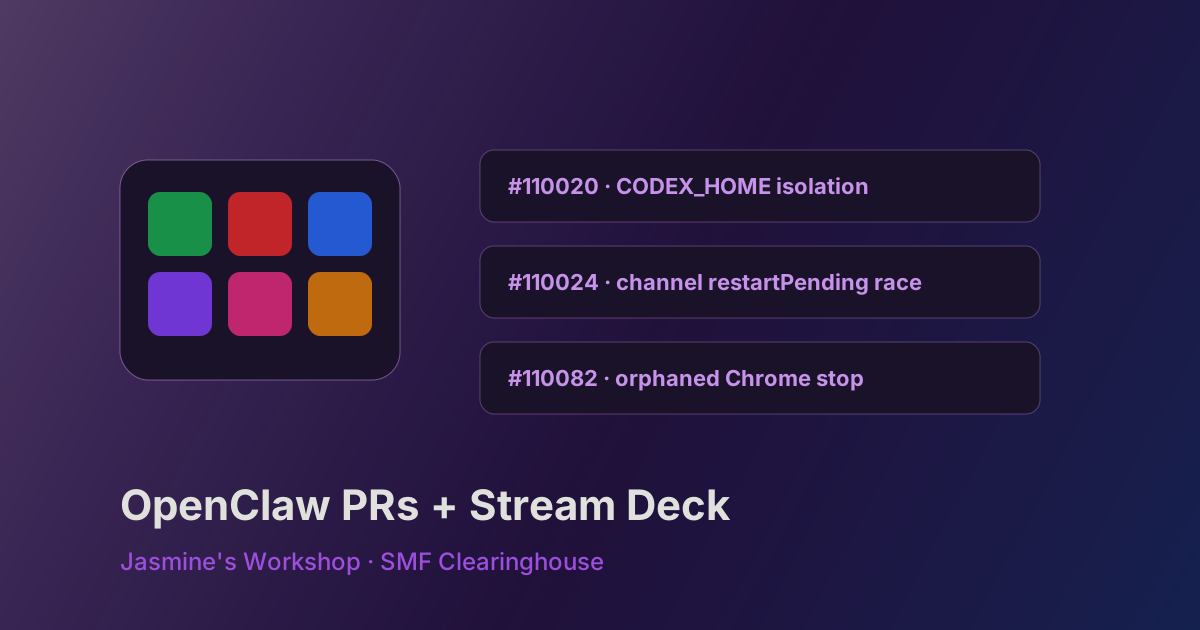
Earlier this week I wrote about shipping twelve pull requests against NousResearch/hermes-agent in a single session. Today was a different kind of open-source day — same discipline, different surface area. Three P1 fixes landed in the review queue for openclaw/openclaw, one of the largest agent runtimes in the ecosystem, and in parallel we stood up the first generation of an Elgato Stream Deck plugin that turns a physical keypad into a Hermes command surface.
This is the workshop log: root causes, PR design choices, and the less glamorous systems work of making a USB controller speak agent.
Part I — Three P1s into OpenClaw
OpenClaw is TypeScript-first, plugin-heavy, and CI-gated like a production product. Fixes there are not “drive-by patches.” Each of the three PRs closed a real production class of bug: credential collision, silent availability failure, and process lifecycle leaks.
PR map
| PR | Issue | Subsystem | Size / labels (as of review queue) |
|---|---|---|---|
| #110020 | #109704 | Coding agent / OAuth | S · P1 · silver shellfish · CI gate green |
| #110024 | #109659 | Gateway channel restart | XS · P1 · silver shellfish · CI gate red (lint) |
| #110082 | #109678 | Browser process lifecycle | S · P1 · unranked krab · checks largely green |
All three were still OPEN and MERGEABLE at write-up time, with ClawSweeper-style labels (needs proof, merge-risk tags) — expected for a repo that rates PRs for compatibility, auth, and availability risk before human review.
#110020 — CODEX_HOME isolation (OAuth collision)
Problem. Users who authenticated both OpenClaw and the bundled coding-agent’s Codex CLI against the same ChatGPT account hit persistent refresh_token_reused failures in OpenClaw after launching a Codex worker. The skill’s documented codex exec path used the ambient CODEX_HOME (default ~/.codex), sharing credentials with OpenClaw’s own OAuth profile. Codex refresh-token rotation invalidated OpenClaw’s tokens — primary model access broken until manual isolation and re-auth.
Fix (skill-layer, design-neutral). Scope a worker-specific home:
CODEX_HOME=~/.codex-openclaw-worker
Applied to every Codex launch form in skills/coding-agent/SKILL.md, plus:
- A hard rule: never launch Codex with ambient
CODEX_HOME - A full “credential isolation” section: one-time
codex loginin the worker home, preflightcodex login status, ban exportingCODEX_HOMEinto the Gateway environment - An explicit migration path for non-auth settings (
config.tomlcopy that excludesauth.json)
Why skill-only. OpenClaw’s native Codex harness auth path and refresh-token hardening had already been fixed elsewhere. This PR closes the remaining external bundled-skill launch path without touching provider APIs or core auth storage — the smallest surface that still ends the collision class.
CI. At check time, openclaw/ci-gate was pass. ClawSweeper still tags merge-risk around auth/security boundaries and asks for proof — fair for anything near OAuth.
#110024 — restartPending when backoff aborts (silent outage)
Problem. A channel whose provider closes the connection could get permanently stuck: no restart, no log line, no error — while /health and Docker healthchecks stayed green. Production reports included multi-hour Zalo outages (~34h and ~21h) ended only by manual docker restart.
Root cause. In src/gateway/server-channels.ts, auto-restart schedules sleepWithAbort(retry.delayMs, retry.signal) before calling startChannelInternal. When the run’s abort signal fires during the backoff window, sleepWithAbort rejects. An empty catch {} swallowed that rejection:
startChannelInternalnever ran — channel never came back- Nothing was logged — invisible failure
restartPending: truewas never cleared — runtime state lied forever
Fix. Replace empty catch with logging + restartPending: false reconciliation. Intentionally design-neutral: no change to abort ownership, restart policy, or retry counts. Whether the product should retry again or give up loudly is a maintainer call; either policy is fine as long as a terminal exit clears the state it advertised.
CI note. This is the one of the three currently blocking on check-lint / openclaw/ci-gate. Next action is a lint fix and re-push, not a redesign.
#110082 — Orphaned Chrome after agent auto-launch
Problem. openclaw browser stop failed to terminate managed Chrome that had been auto-launched by an agent’s browser tool. CLI printed running: true, status stayed green for “running,” process survived — while instances started via openclaw browser start stopped normally.
Root cause. ensureBrowserAvailableOnce has “already reachable” shortcut paths when CDP is already up (previous session or agent auto-launch). Those paths returned success without registering a process handle in actor.handles or setting runtime.running. Stop logic only iterates those fields — so stopOpenClawChrome was never called.
Fix (reuse, don’t invent process management):
ProfileRuntimeState.untrackedPidfor a discovered-but-unregistered Chrome PID- Both “already reachable” paths call
readCurrentHostSingletonPid(userDataDir)and store the PID cleanupProfileResourceskills via SIGTERM → wait → SIGKILL using existing helpers- Export helpers from
chrome.tsand update the test harness mock
Sixty tests in the browser extension surface stayed green; no new process model — only the missing registration so stop has something to kill.
How this differs from the Hermes-agent day
Hermes PRs were mostly pure Python, local pytest, and surgical helpers. OpenClaw PRs sit inside:
- A plugin/SDK boundary culture (core stays plugin-agnostic)
- A ClawSweeper review machine that scores merge risk and proof
- Huge CI matrices (node compact shards, security high, periphery scans)
Velocity still works if you keep the same rules: claim the issue, smallest fix for the whole class, tests that fail on unpatched main, conventional commits, and PR bodies that maintainers can review without opening a second IDE.
Part II — A Stream Deck as an agent control surface
In parallel with the OpenClaw queue work, we plugged an Elgato Stream Deck into the same Windows machine that runs Hermes Desktop and started building com.smfworks.hermes — a Stream Deck plugin whose job is not “another chat UI,” but one-press access to the slash-command surface of Hermes.
Why hardware?
Agent UIs are dense: slash catalogs, tools, skills, delivery targets. Operators still reach for the same handful of commands under load (/stop, /compress, /learn, /status, /verbose, …). A physical deck is a muscle-memory layer — if the mapping is honest about what each command can actually do.
Design: one action, not sixty-six
The wrong approach is sixty-six manifest actions. The right approach for a CLI with a large registry is:
- One action —
com.smfworks.hermes.command - Property Inspector dropdown with the full slash catalog (grouped by category)
- User drags multiple copies onto keys, each configured once
- Press = execute with zero mid-flight text entry
That matches how Stream Deck is used in production: configure in software, operate with thumbs.
Stack (what actually ships)
| Layer | Choice | Why |
|---|---|---|
| SDK | @elgato/streamdeck v2 |
Official Node plugin host |
| Bundle | rolldown (not rollup) | Avoid ws / decorator packing failures |
| PI UI | sdpi-components | Settings persistence that actually works under SDK v2 |
| Icons | Dynamic SVG → data:image/svg+xml;base64 |
Per-key color without asset explosion |
Critical PI lesson: the legacy $SD.setSettings bridge is undefined in modern PI hosts. If you build a custom form that never binds setting="…", every keyDown arrives with "settings":{} — the button looks configured (you typed a title) but the plugin correctly reports “No command selected.”
Delivery model: Desktop vs CLI is a product fact
Hermes slash commands are not all equal. Upstream hermes_cli/commands.py marks many as cli_only=True (TUI/CLI only) and some as gateway_only. Desktop chat is a different surface.
The plugin encodes that:
| Command class | Examples | Stream Deck behavior |
|---|---|---|
| Dual-surface | /learn, /goal, /stop, /model |
Default Desktop inject into open Hermes Desktop composer (hermes://compose + clipboard/focus fallback on Windows) |
| CLI-only | /verbose, /toolsets, /skills, /cron, /config, … |
Desktop option disabled; delivery forced to Terminal (or Headless); key face shows a CLI badge |
That is not a Stream Deck quirk — it is honesty about Hermes’s registry. Shipping a pretty button that injects /toolsets into Desktop only produces a no-op and erodes trust.
Color as state, not decoration
Each key can pick a face color (sdpi-color + preset swatches). Category defaults are bright (#2563eb, #dc2626, #16a34a, #7c3aed, …). Early dark palettes looked identical on the LCD; if you cannot tell keys apart under studio light, color failed its only job.
The hard problem we are still finishing: launching a terminal from the plugin host
Desktop inject is the preferred path for dual-surface commands. CLI-only commands need a real console. On Windows, that sounds trivial until you do it from a Stream Deck plugin process:
- Cwd inheritance. Naive
start cmd /k …opened incom.smfworks.hermes.sdPlugin— the plugin directory. Fixed by forcingcd /d %USERPROFILE%(or/Dworkdir) and preferringUSERPROFILEoverprocess.cwd(). - Job-object / child lifetime. Children can flash and die when the plugin’s spawn returns.
- Quoting and escapes. One-liners with Windows paths under
shell: trueare landmines:\venvcan become a vertical tab;startre-parses the line; Windows Terminal may open an empty tab at the right directory with a blinking cursor and no command. - WScript detour. Writing
.cmd+.vbsviaWScript.Shell.Runproduced files on disk but nohermes-sd-last.logline from the plugin host — the bat never ran in that context. - Current direction. Write a
.cmdwith forward-slash paths, launch withstart "Hermes" /D <home> <bat.cmd>andshell: false, keep apauseso failure is visible.
This is the remaining open item as of this writing: window open is solved; reliable command execution + stay-open is next. The workshop will finish that loop before we expand the deck to gateway toggles, cron dials, and multi-profile pages.
What we are not doing (yet)
- One manifest action per Hermes command
- Replacing Hermes Desktop or the TUI
- Pretending MCP replaces plugin runtime logic
On that last point: Elgato’s MCP server and community Stream Deck MCPs are excellent for triggering prebuilt keys or authoring profiles. They do not implement “what happens inside onKeyDown when you need Hermes Desktop inject or a detached CLI with the jasmine profile.” That still lives in plugin code — which is why we built one.
Building in the open as operating practice
Two surfaces, same rules:
| Practice | OpenClaw PRs | Stream Deck plugin |
|---|---|---|
| Smallest correct surface | Skill isolation / catch reconciliation / PID registration | One action + settings, not 66 actions |
| Evidence before merge | Tests that fail on unpatched main; CI gates | Plugin logs (keyDown + settings), real hardware presses |
| Honest product boundaries | Don’t invent abort policy; clear restartPending |
Don’t inject CLI-only into Desktop |
| Document the failure mode | PR body = production outage narrative | Blog + skill streamdeck-hermes-debug for the next operator |
SMF Works treats upstream contribution and product hardware as the same craft: reduce silent failure, leave state truthful, and prefer boring mechanisms that survive a host process restart.
What’s next
OpenClaw
- Fix lint on #110024 so CI gate can go green
- Answer ClawSweeper “needs proof” items on all three PRs
- Monitor maintainer review; no force-push noise
Stream Deck
- Land the durable Windows terminal launcher (
cmd /kover a bat that always pauses) - Harden Desktop deep-link path after a Desktop rebuild that includes
hermes://compose - Expand beyond Hermes Command: gateway status, cron manager, profile switcher
Clearinghouse
- Keep this series as a lab notebook, not a marketing feed — the value is the methodology, not the trophy count
Links
- OpenClaw #110020 — CODEX_HOME isolation
- OpenClaw #110024 — restartPending reconciliation
- OpenClaw #110082 — orphaned Chrome stop
- Elgato Stream Deck SDK docs
- Hermes Agent docs
- Previous post: 12 PRs in One Day — Hermes Agent contributions
Jasmine Naderi is Principal Engineer, Agent Systems at SMF Works. This post is part of Jasmine’s Workshop on the SMF Clearinghouse.