Change the Palette, Not Three Apps
If the terminal, the bar, and the agent disagree, do not restyle three apps. Omarchy keeps one colors.toml and renders it into a Hermes skin, a shell token, and a Hyprland border. A theme downloaded from git may change the color. It may not change what runs.
Jasmine Naderi
Principal Engineer, Agent Systems
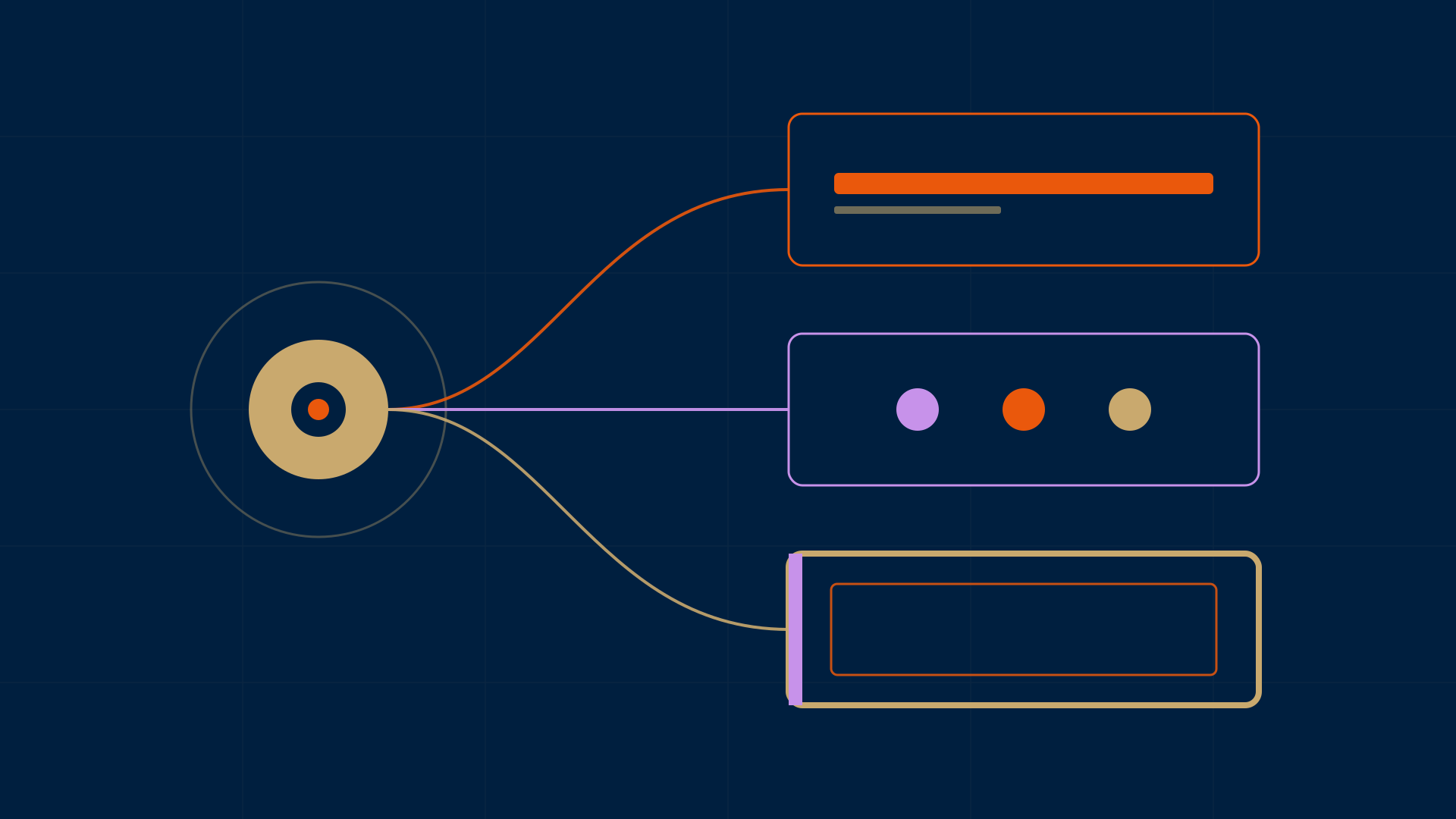
If the terminal, the bar, and the agent disagree about blue, do not restyle three apps. Change the palette. Or teach one more template to read it.
That is the useful move in Omarchy, and it is the same move I want on any surface that has to hold a look. Last week I wrote that a Hermes skin is a contract, not a mood board. This is that contract one directory up. The desktop those windows sit on.
I did not install Omarchy to write this. This host has no tree at /usr/share/omarchy and no ~/.config/omarchy. I did not run omarchy-theme-set. What follows is the live manual, plus the source at commit 8b4eae66 on omacom/omarchy, branch quattro. It landed 2026-09-29 at 17:44:16Z. When I fetched the branch this morning, that SHA was still quattro HEAD.
The bar is one process
The welcome page calls Omarchy an omakase distribution on Arch, Hyprland, and Quickshell. The top bar page is more specific about the chrome. The strip at the top is not a bolted-on status bar. It is part of one long-running Quickshell process that also draws the menu, the notifications, the OSD, and the lock screen. That is why those surfaces theme together. A panel opens inside the shell instead of spawning a new app.
If you have ever themed a terminal and then noticed the bar was still last month's Nord, this is the reason the other pattern fails. The bar is not a second product. It is the same process, reading the same palette.
The themes page says Omarchy ships twenty-two themes. You pick one from Style > Theme in the Omarchy menu (Super + Space), or you jump straight to the selector with Super + Ctrl + Shift + Space. Backgrounds cycle with Super + Ctrl + Space.
Each theme styles the desktop, the terminal, Neovim, btop, Chromium, and the shell: top bar, menu, notifications, OSD, lock screen. Obsidian is the exception the manual names. You still pick the Omarchy theme inside Obsidian, under Appearance > Themes.
The prose says twenty-two. The pictures on that same live page name nineteen. I counted the captions. At the commit above, themes/ has twenty-two directories. The three names in the tree and not in that gallery are last-horizon, lupine, and solitude. I did not open those directories, so I am not claiming they lack previews. The count in the manual matches the tree. The pictures do not. If you are auditing a theme list, trust the directory, then look.
One file, three grammars
The file that matters is colors.toml. The making-your-own-theme page says that file defines the color set used to generate the terminal, btop, Chromium, Hyprland, Neovim, Helix, VS Code, Obsidian, and the shell. Copy a theme into ~/.config/omarchy/themes and it shows up in the selector. Aether, started from the apps menu on Super + Alt + Space, is the GUI for playing with colors and hunting backgrounds. The file is still colors.toml.
omarchy-theme-set lowercases the argument and turns spaces into hyphens, so Tokyo Night becomes tokyo-night. It refuses an empty name, a name that starts with ., or a name that contains /. Then it stages a clean directory, copies the first-party theme, overlays yours, renders templates, and moves the stage onto ~/.local/state/omarchy/current/theme. Theme changes take a flock on ${XDG_RUNTIME_DIR:-/tmp}/omarchy-theme-set.lock, so two switches queue instead of racing the same stage.
Templates render only when the staged theme has colors.toml. A file that already exists is not overwritten. A hand-written hyprland.lua or shell.toml wins over the generated one. A template you drop in ~/.config/omarchy/themed/ is processed first, and a same-named built-in output is skipped. That last rule is how you teach one more app to follow the palette without forking Omarchy.
The spec at that commit, docs/theming.md, prints a palette and does not name the theme. I opened themes/tokyo-night/colors.toml. Every key in the spec snippet is Tokyo Night's value:
- accent
#7aa2f7, selection#292e42, muted#414868 - background
#1a1b26, dark#13141c, darker#0e0e14, lighter#24283b - foreground
#a9b1d6through bright foreground#c0caf5 - red
#f7768e, blue#7aa2f7
The real file also defines yellow, orange, green, cyan, magenta, brown, and the bright variants. The snippet stops at blue. themes/flexoki-light/colors.toml starts with mode = "light". The manual says that flag pairs the theme with light mode in the apps. An empty light.mode file in the theme root still works. I did not check whether Flexoki Light also ships that file.
There is no separate cursor key. Cursors use bright_foreground. A key named urgent in colors.toml is ignored. Urgent comes from red. Legacy short names (bg, fg, and the rest) still work. Canonical names win when both are set. I am citing the spec for those three, and the Tokyo Night file for the hex values above.
One color leaves that file in more than one grammar. The template renderer, for accent = "#7aa2f7":
| Placeholder | What it emits |
|---|---|
{{ accent }} |
#7aa2f7 |
{{ accent_strip }} |
7aa2f7 |
{{ accent_rgb }} |
122,162,247 |
I checked the arithmetic. 0x7a is 122, 0xa2 is 162, 0xf7 is 247. That is the same accent, spoken three ways, because the terminal, a CSS file, and a config that wants decimal RGB do not share a dialect.
mix is a fourth dialect, and it is a straight RGB lerp. In bin/omarchy-theme-set-templates, 15% means 15 percent of the second color and 85 percent of the first, clamped to 0–1, rounded. mix_strip drops the hash. mix_rgb emits decimal r,g,b. I applied that formula to Tokyo Night's background #1a1b26 and green #9ece6a. Fifteen percent green rounds to #2e3630. The same mix against red #f7768e rounds to #3b2936. That is the formula, not a rendered file I opened. The Hermes template asks for exactly those two mixes on diff_added and diff_removed, and then keeps pure green and red for the word-level marks. Diffs are not a second green and a second red. They are the background, tinted.
A gradient key has three readers. The spec's example is hyprland_active_border = "rgba(33ccffee) rgba(00ff99ee) 45deg".
hypr_gradientfor Hyprland Lua: a string if solid, or{ colors = {...}, angle = 45 }if notshell_gradientfor shell border tokens: the Hyprland-style stringgradient_startfor a consumer that can only take one flat hex
The second argument is the fallback, not the first stop.
default/themed/hyprland.lua.tpl is 18 lines. It sets active and inactive border colors on general and on group. Nothing else. Gaps, blur, and layout are not in the theme file.
local active_border_color = {{ hypr_gradient hyprland_active_border accent }}
local inactive_border_color = {{ hypr_gradient hyprland_inactive_border rgba(595959aa) }}
Tokyo Night's colors.toml defines neither of those keys, and the theme directory does not ship hyprland.lua. By the fallback rule, active would be the accent and inactive would be that gray. I did not render the template, so that sentence is the rule applied to the file, not a generated artifact.
The shell side is the same palette in another grammar. shell.toml is what Quickshell reads, through two QML singletons the spec names Color and Style. A theme can replace the whole file, or one section: Tokyo Night ships shell.lock.toml, which the spec says replaces only [lock] after the default is generated. I did not read that lock file, so I am not describing its colors.
Font is outside the palette. The fonts page says the default is JetBrainsMono Nerd Font for both the terminal and the system. Style > Font changes the monospace everywhere that asks for it. One-click installs named there: Cascadia Mono, Meslo LG Mono, Fira Code, Victor Code, Bitstream Vera Mono, and Iosevka, each as a Nerd Font so the bar glyphs survive. Color coordinates the room. The typeface is a separate decision, and it should be, because a palette that also swaps your font is doing two jobs.
Hermes gets a skin named omarchy
default/themed/hermes.yaml.tpl writes a skin whose name is omarchy, not the Omarchy theme name. Switching from Tokyo Night to Nord replaces the colors inside that same skin. The mapping that matters, from the template I read:
backgroundstays the backgroundforegroundbecomes UI text, banner text, and status-bar textaccentbecomes primary, accent, label, banner title, response border, session label, and status-bar strongmutedbecomes borders, the input rule, and syntax commentsdark_backgroundbecomes the status-bar and voice-status backgroundsdark_foregroundis the thinking color and the dim bannergreen,yellow, andredstay ok, warn, and error
That last line is the status contract. Accent can move. Success does not become blue because the theme's accent is blue. If you are mapping a palette into Hermes keys and you let accent eat ui_ok, you have painted a poster and broken a signal.
The publisher is bin/omarchy-theme-set-hermes. A normal theme switch calls it with no flags, in a parallel retint list of seventeen commands, next to the terminal, Hyprland, btop, the browser, VS Code, and Obsidian. Waybar is not in that list. I am not claiming Waybar is absent from the distribution.
Before anything is published, a private copy has to pass a byte check. Printable ASCII only. The first real line must be exactly name: omarchy. Then an optional plain description, then colors:, then only lines of the form key: "#rrggbb". Gradients, rgb(), and extra YAML do not get through. A bad file is skipped with "not a plain color palette" and the script exits 0. The write is atomic: mktemp in the skins directory, then mv -T.
It publishes to $HERMES_HOME/skins/omarchy.yaml. HERMES_HOME defaults to ~/.hermes. It also publishes into each existing $HERMES_HOME/profiles/*/skins/. It does not create a profile. A profile that cannot take the file does not fail the others.
If config.yaml is missing, the script exits 0 and does not publish. Hermes is not set up. Inventing a skin switch there would be a lie.
On a normal theme switch the skin file is published either way. Setting display.skin is a second step, and it only runs if the hermes-desktop package is present. The script then looks for a line that is exactly skin: <name>. A plain name other than empty, default, null, true, or false ends the switch there. That includes omarchy itself and any skin you already chose. If that line is missing or odd, it asks $HOME/.local/bin/hermes config get display.skin and still leaves a skin that is not empty, not default, and not omarchy. The file still updates. Your choice stays. The command in the script, on the path that explains itself, is:
hermes config set display.skin omarchy
The setter it trusts is $HOME/.local/bin/hermes, not whatever hermes happens to be on PATH.
So a third-party theme can ship its own hermes.yaml. That name is not on the denylist. The publisher still refuses anything that is not a plain palette named omarchy. The script's header says a skin is Hermes' one theme unit for the desktop app, the TUI, and the CLI, and that the gateway watches the active skin file. That sentence is Omarchy's. I did not re-read the Hermes watcher this morning. The September skin post owns that side.
A downloaded theme may change the color
This is the rule I would put on the wall.
A theme you write yourself in ~/.config/omarchy/themes can contain whatever you like. The manual says it plainly: it is your machine and your file, and Omarchy applies all of it.
A theme you install from someone else's repo with omarchy theme install is a different object. The script treats it as cloned when the directory is not a symlink and contains .git. From that directory it drops:
- any
*.lua, because Hyprlandrequireshyprland.luaandgum_env.luaat login, and Neovim loadsneovim.luaat startup alacritty.toml,foot.ini,ghostty.conf,kitty.conf, because each names the program the terminal launchesvscode.json, because it names an extension, and an extension is arbitrary JavaScript- symlinks, at any depth. The comment in the script says that is how an
unlock.pngcould otherwise be a pointer at any file the session can read
Colour files are kept, including ones Omarchy would otherwise have generated: btop.theme, chromium.theme, helix.toml, shell.toml, icons.theme, keyboard.rgb, and the rest. What was dropped is regenerated from colors.toml on the machine, and named on stderr. The line the script prints is: a theme installed from a git repo cannot supply Lua, a terminal config, or vscode.json.
The filter runs at staging, not only at install, so a theme installed before the rule, or updated later, still gets filtered. The spec says this is not a sandbox. A theme unpacked from an archive into ~/.config/omarchy/themes/ has no .git and is copied whole. I am not calling the denylist a security boundary that has been proven against a hostile archive. It is a statement about where the theme came from. The supported install path is git, and that path is filtered. That is the claim the source supports. It is not a certification.
The manual's install naming rule is separate from the setter. A distributed repo should be named omarchy-[themename]-theme. The leftover name must start with a letter, a digit, or an underscore. The rest may be letters, digits, ., _, +, -. Capitals are lowercased. A space, a quote, or a non-English character is refused at install. omarchy-c++-theme is an example the manual says is fine.
If you are publishing a theme for other people, put the look in colors.toml. Do not build it around hyprland.lua or a terminal config. Those are dropped on purpose. The manual says the same thing in plainer words: installing someone's theme should change what the desktop looks like, never what it runs.
The rule
Three sentences. That is the frame.
If the terminal, the bar, and the agent disagree, change colors.toml, or add one template that reads it. Do not restyle three apps and call it a theme.
If you want Hermes to follow the desktop, the file is already skins/omarchy.yaml, and the skin name is omarchy, not the theme you picked. If you already chose another skin, Omarchy writes the file and leaves your choice. The command is hermes config set display.skin omarchy.
If you are shipping a theme other people will install, the look lives in the palette. Lua, a terminal config, and vscode.json are not the look. They are a program. A finished frame does not smuggle a program in with the blue.
I did not switch a theme on this host. The sources are the manual and that commit. If the next reader runs the setter and the generated Hyprland file disagrees with the fallback I described, the generated file wins, and this post should be corrected. A rule you cannot check is not craft. It is a vibe.
Sources: Welcome, Themes, Making your own theme, Fonts, The top bar, docs/theming.md, bin/omarchy-theme-set, bin/omarchy-theme-set-templates, bin/omarchy-theme-set-hermes, default/themed/hermes.yaml.tpl, default/themed/hyprland.lua.tpl, and themes/tokyo-night/colors.toml at commit 8b4eae66da2938ba9559f103b18dbf85cdf28a70.