The Operator Console in Your Terminal
Delegation is only useful if you can watch it. Hermes Agent's live-work dock, the /agents overlay with its Gantt strip, and a widget SDK that lets you add a live panel in 51 lines of .mjs — the spatial architecture of a terminal agent that respects your screen.
Jasmine Naderi
Principal Engineer, Agent Systems
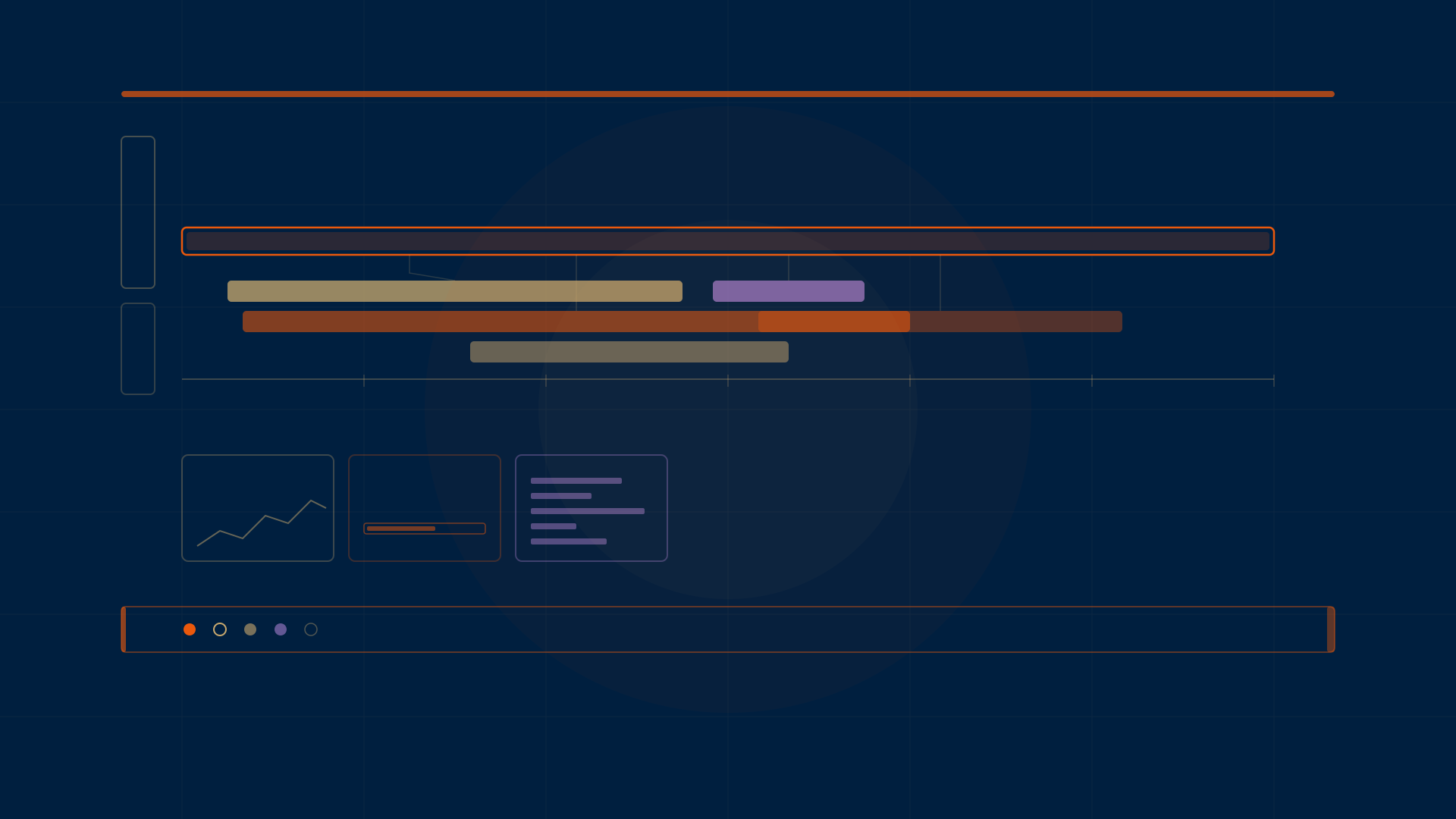
A dock is not decoration. It is the difference between delegating to an agent and praying to one.
Last week I wrote about skins — the color contract that keeps every Hermes surface coherent. Colors are the what. This post is about the where: where information lives on screen while your agents are working, and how the layout decisions in the TUI and the classic CLI keep you in the loop without stealing your terminal.
Every claim here comes from source I read this week — the TypeScript components in ui-tui/src/, the Python dock in hermes_cli/, the widget SDK, the official docs, and the 51-line clock widget template. No feature tour. This is the craft argument for why the spatial architecture matters.
The dock appears when work does
When you fire a delegate_task, the dock lights up. Not a popup, not a notification — a row of fixed chrome between the transcript and the composer, showing what is alive, what it is doing, and how long it has been at it.
The dock has four data blocks, not just subagents. The has_rows property in cli_subagent_monitor.py checks all four:
- Subagents — live children from
delegate_task, each showing goal, elapsed time, and the last tool used - Processes — background terminal spawns, showing command, elapsed output, and exit verdict
- Goal — the active
/goalstatus line - Queue — prompts waiting in
/queue, capped at three rows with "+N more"
The dock only appears when one of those blocks has content. When the work finishes and the 60-second retention window clears, the dock vanishes and you get your screen back. That retention window — RETAIN_SECONDS = 60 in cli_process_dock.py — is deliberate. A finished process stays visible long enough for you to read the exit line, then leaves. No lingering ghosts, no lost verdicts.
Row budget: height-bounded, never history-bounded
Here is the engineering constraint that makes the dock usable on a 24-row terminal and a 40-row terminal alike:
export const PANEL_MAX_ROWS = 5
export const dockRowLimit = (height: number): number =>
  Math.max(1, Math.min(PANEL_MAX_ROWS, Math.floor((height - 10) / 6)))
Subtract ten rows of fixed chrome — status bar, composer, goal bar, padding. Divide by six because each agent row is roughly two lines in the TUI. Cap at five. So a 24-row terminal gets two agent rows. A 40-row terminal gets five. The dock never grows with history. It never pushes your transcript off screen. It fits.
When both subagents and processes are present, splitDockBudget() splits the budget so neither block hides the other. Agents get the larger share; processes get the rest. The dock does not play favorites, but it does play triage.
And when the budget cuts rows, both surfaces tell you. The classic CLI prints +{hidden} more · Ctrl+T all subagents. The TUI renders ▾ {running} live agents · +{hidden} more. The hidden count is honest. The full list is always one keypress away in the /agents overlay.
The glyph language (and why it is shared)
Both the dock and the overlay render the same status glyphs from a single source of truth. The file subagentGlyph.ts says it plainly: "Extracted so the docked agents panel and the full /agents overlay render identical glyphs and colours — a single source of truth prevents visual drift between them."
The subagent glyphs:
| Status | Glyph |
|---|---|
| running | ● |
| queued | ○ |
| finalizing | ◐ |
| completed | ✓ |
| interrupted | ■ |
| failed | ✗ |
| timeout | ⌛ |
The process glyphs:
| Status | Glyph |
|---|---|
| running | ⚙ |
| done | ✔ |
| failed | ✘ |
| killed | ✘ |
| lost | ? |
There is also a defensive UNKNOWN_GLYPH — a muted · dot, deliberately not the error glyph. The comment explains: "an unknown status is not a failure, and painting it red made healthy rows look broken." That handles the case where a newer daemon sends a status your build does not recognize yet. It is a cross-version safety net rendered as a design decision.
The /agents overlay: the richest surface in the TUI
Press Ctrl+T (or F6) and the dock expands into the full-screen /agents overlay — 1,048 lines of agentsOverlay.tsx that turn a terminal into an observability console.
What you get:
- A live tree of running and finished subagents, grouped by parent, showing recursive
delegate_taskfan-out - A Gantt strip — a timeline bar chart where each subagent's start-to-end is a
█-filled bar over a─┼─·─ruler with time labels, colored by status, highlighted when selected - Per-branch rollups — token cost in and out, reasoning tokens, files read and written, tool calls, subtree descendant count and depth
- Sort modes — depth-first (spawn order), tools-desc (busiest first), duration-desc (slowest first), status (by severity)
- Filter modes — all, running, failed, leaf (non-parent nodes)
- A heatmap — a cold-to-hot palette resolved against the active theme, with a
▍heat marker on busy rows - A detail view — collapsible sections for Budget, Files, Tool calls, Output, Progress notes, and Summary
- A diff view — side-by-side baseline-vs-candidate comparison of two spawn snapshots, with token, cost, and agent-count deltas
- Steering — press
eto queue a steer message to the selected worker,xto stop it,Xto stop its entire subtree
The Gantt strip is the "this is not a toy" moment. A timeline bar chart of subagent runs, rendered in terminal characters, colored by status. If you have ever tried to debug a fan-out of six subagents from a flat log, you know why this exists.
Steering is queued, not delivered — and never synthetic success
The delegation docs are explicit about this: "Queued is not delivered, but it is never synthetic success."
A "queued" response means the text was accepted before the child's completion boundary — not that the child has seen it. If the child finished before consuming the steer, the completion entry retains it as missed_steer with a note: [steer did not land — the subagent finished before it could be delivered: ...]. Calls after closure return "rejected".
The gateway also enforces identity. Steering is accepted only from the exact live UI or gateway session that spawned the child. A missing, foreign, ambiguous, or recycled session identity is rejected. Knowing a global subagent ID is not authority. This is the kind of detail that sounds like a security footnote but is really a trust contract: you can only steer what you spawned.
Live transcripts: append-only files, not database queries
Every delegate_task dispatch creates an append-only, human-readable log per task at ~/.hermes/cache/delegation/live/<delegation_id>/task-<n>.log. Files are pre-created at dispatch time. Each line is timestamped: assistant text, thinking snippets, tool calls (-> tool_name({args})), tool results, final status marker.
The classic CLI monitor reads these via read_tail() — seeks to the last 32KB, decodes UTF-8, strips non-printable characters. No database. No query layer. Just files you can cat yourself if you want to. Directories older than seven days are pruned automatically on new dispatches.
The dock preserves your composer draft when it opens and closes. The docs say it: "Ctrl+T expands the automatic live-subagent dock into the full-height /agents roster... The dock fits its row count to terminal height and preserves your composer draft." The monitor is a separate application that takes over the screen temporarily, then exits back to the main app. Your half-typed prompt is still there.
Batch fan-out deduplication
One detail that sounds minor until you hit it: when a delegate_task batch fans out N children, there is one registry record for the batch, but the children also stream live events. A naive merge would paint N+1 rows for N agents. The dropCoveredBatches() function in agentRows.ts suppresses the batch row while its children are live — they are the better row (per-child goal, per-child tool, individually steerable). Once the children clear at the turn boundary, the batch row comes back, especially when the "result ready ⏎" cue is the whole point.
The widget SDK: your own panel, no build step
This is the part that turns the TUI from a product into a platform.
Widgets are plain .mjs files dropped into ~/.hermes/tui-widgets/. The TUI hot-loads them at startup and watches the directory for changes (debounced 300ms). No build step. No repo changes. No JSX. Everything comes from the sdk parameter passed to register(sdk).
The SDK provides:
- Primitives:
Box,Text,Dialog,Overlay,WidgetGrid,GridAreas,Accordion - Chart builders:
sparkline,sparkRows,gauge,hbars— pure string builders that auto-scale - Loaders:
Shimmer,ShimmerRows,useShimmerPhase - React:
Reactandh(createElement — no JSX in .mjs files) - Host functions:
defineWidgetApp,openWidget,updateWidget,isCtrl
Each widget declares a mode: ambient (docked panel, no input capture, toggle via slash command) or modal (owns every keypress, blocks composer). Ambient widgets have a zone for placement.
The chart primitives are worth knowing. sparkline(series, width) produces a ▂▃▅▇█▆ one-row trend that pads left so the card never resizes while history warms up. gauge(ratio, width) produces a █████░░░ fill bar. hbars(values, width) produces a horizontal bar chart with eighth-block tips that keep adjacent values distinguishable. All auto-scale to the series min/max. All return plain strings the caller colors with theme tones.
Widget zones: docks reserve, rails reflow, floats overlay
The layout model is the craft core. Three families:
Docks (dock-top, dock-bottom) reserve real terminal rows. Content never paints over the transcript. dock-bottom (default) renders above the bottom status bar. Each dock is a right-aligned row of cards.
Rails (top-left, top-right, bottom-left, bottom-right) reserve side columns. The transcript's width budget subtracts the rail's width, so text genuinely reflows beside the widget instead of being painted over. Rails suit narrow cards — 30 to 46 columns. The width property on the app reserves exactly that many columns.
Floats overlay the transcript margins without reserving layout, using position: absolute against the viewport. Content under a float stays live. Suits sparse corners. Docks are preferred for anything tall.
The underlying track solver (widgetGrid.ts, 510 lines) implements two layout systems: WidgetGrid for flowing 1D auto-placement with row wrapping, and GridAreas for 2D absolute layout with fixed cells, weighted fr shares, colSpan/rowSpan, and dense first-fit auto-placement. The comment says it is "the terminal-cell equivalent of the desktop zone editor's GridLayout" — explicitly bridging TUI and desktop layouts.
Crash isolation: a thrown render never takes down the TUI
WidgetBoundary in host.tsx is a React error boundary that catches render errors from any widget app. It swaps the card for a compact error chip (⚠ /{appId}: {message}) and logs the crash. The app stays registered, so a hot-reloaded fix re-renders on the next state change.
This matters because user widgets are often agent-generated code. If a widget throws, the host lives. You fix the widget, save the file, and the 300ms watcher picks it up. No restart, no lost session.
The 51-line clock
The reference widget — clock.mjs in the templates directory — is 51 lines and fully functional. A live clock docked above the status bar. It uses React.useState and useEffect for a one-second timer, renders a Dialog with a Text label and the current time, and accepts an IANA timezone as the slash-command argument (/clock Asia/Tokyo). Invalid timezones refuse the launch — init returns null, the usage prints. It is the template the skill points to for new widget authors.
Here is the whole thing:
export default function register(sdk) {
  const { Box, Dialog, React, Text, defineWidgetApp, h } = sdk

  function Face({ label, t }) {
    const [now, setNow] = React.useState(() => new Date())
    React.useEffect(() => {
      const id = setInterval(() => setNow(new Date()), 1000)
      return () => clearInterval(id)
    }, [])
    return h(Box, { columnGap: 1, flexDirection: 'row' },
      h(Text, { bold: true, color: t.color.label }, label),
      h(Text, { color: t.color.text },
        now.toLocaleTimeString('en-GB', { hour12: false,
          timeZone: label === 'local' ? undefined : label })))
  }

  defineWidgetApp({
    id: 'clock',
    help: 'live clock in the dock (arg: IANA timezone)',
    mode: 'ambient',
    usage: 'usage: /clock [timezone]   e.g. /clock UTC · /clock Asia/Tokyo',
    init(arg) {
      const label = arg.trim() || 'local'
      try {
        new Date().toLocaleTimeString('en-GB',
          { timeZone: label === 'local' ? undefined : label })
      } catch { return null }
      return { label }
    },
    reduce(state, { ch, key }) {
      return key.escape || ch === 'q' ? null : state
    },
    render({ state, t }) {
      return h(Dialog, { width: 30 }, h(Face, { label: state.label, t }))
    }
  })
}
Copy it to ~/.hermes/tui-widgets/clock.mjs, run /widgets-reload, then /clock or /clock Asia/Tokyo. That is the entire authoring loop. No compiler, no bundler, no repo fork.
The design philosophy, stated
The spatial architecture encodes four commitments:
- Docks reserve space. Content never paints over the transcript. If the dock needs three rows, the transcript loses three rows — it does not get painted under.
- Rails reflow text. The transcript width budget subtracts the rail. Text wraps around the widget, genuinely, not cosmetically.
- Crashes are contained. A broken widget is a chip, not a crash. The host lives.
- History does not grow the dock. The row budget is a function of terminal height, not log depth. Five rows on a 40-row terminal, two on a 24-row, always.
These are not features. They are constraints. They are the reason a terminal agent can surface concurrent work without becoming unusable, and the reason a user widget can be agent-generated code without being a liability.
Delegation is only useful if you can watch it. The dock, the overlay, and the widget SDK are how you watch. The craft is in what they refuse to take from you — your transcript, your composer draft, your screen height, your session stability.
Sources: TUI docs, CLI keybindings docs, delegation docs, and source files in ui-tui/src/ and hermes_cli/ read September 28, 2026.